



![Galaxy Watch 8 Classic (2025), Black, 46mm, Bluetooth Smartwatch | Cushion Design, Rotating Bezel, Sleep and Running Coach, Energy Score [US Version, Amazon Exclusive 2Yr Warranty]](https://m.media-amazon.com/images/I/719-nqBNZlL._AC_UY218_.jpg)
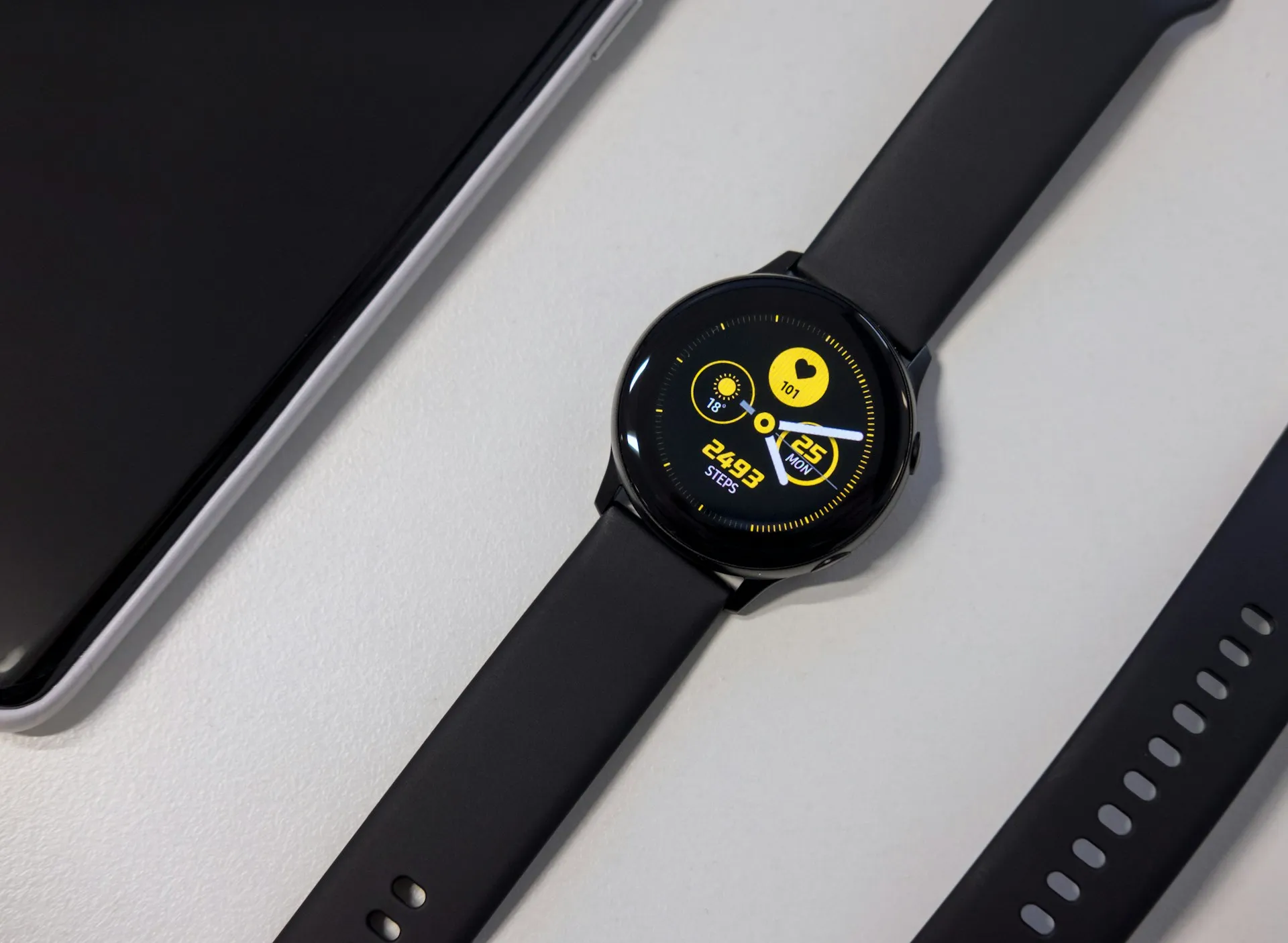
Tap an app on your Galaxy Watch. The splash screen appears, holds for a few seconds, then the watch drops you back to the app drawer. No error, no explanation, no app. A Galaxy Watch 8 Classic user reported exactly that failure on Reddit, with Gmail, Google Calendar, and WhatsApp all refusing to open. Neither Samsung nor Google has said anything publicly about the Galaxy Watch apps not opening problem.
That silence matters, given what happened the prior week. Android Authority reported that Google confirmed a separate Play Store crash bug affecting Pixel Watch users and issued a Pixel Watch fix. The Play Store crash and today's app-launch bug are distinct problems. How the earlier one was handled is worth keeping in mind.
How to recognize if your Galaxy Watch apps are not opening
The failure has a specific signature. Tap an app, the launch screen appears briefly, and the watch returns to the app drawer with no crash message, no hang, no freeze. The app simply never opens, Android Authority reported today. This is not the watch locking up mid-use or an app crashing after it loads. The launch initiates and aborts before the app ever runs.
The apps named in the Reddit report are Gmail, Google Calendar, and WhatsApp. Whether Samsung's own apps or smaller Wear OS titles fail the same way has not been documented. The Galaxy Watch 8 Classic is the only model specifically named in today's app-launch bug reports.
The prior week's Play Store crash spread across the Galaxy Watch 4, Galaxy Watch 7, and Galaxy Watch 8 Classic, as well as multiple Pixel Watch models, Android Authority reported. Whether the current launch failure extends beyond the Galaxy Watch 8 Classic remains unknown.
What the current reporting does and doesn't show
The confirmed facts are narrow: the symptom pattern is consistent, the affected apps are Gmail, Google Calendar, and WhatsApp, and the Galaxy Watch 8 Classic is a documented affected device. Everything else is open.
The total number of affected users is unknown. The full range of affected models is unknown. Whether Samsung's built-in apps are affected is undocumented. There is no official acknowledgment from Samsung or Google that this bug exists. A single Reddit report covered by a reputable tech outlet documents at least one reported instance of the problem.
That gap matters because it shapes what happens next. Last week's Play Store crash had broad, rapid documentation across multiple device families, Pixel Watch 2, 3, and 4, plus the Galaxy Watch 4, 7, and 8 Classic, according to Android Authority. That volume likely contributed to Google's quick public acknowledgment. Today's app-launch bug is starting from a much narrower base. One device model, one Reddit thread, no official bug tracker entry.
Bugs with thin documentation tend to move slowly through official channels. They also tend to stay there unless affected users actively add to the record, specifically with model names and software versions attached.
Why Galaxy Watch apps crash back to the app drawer
The Reddit user who filed the report also proposed a technical explanation. According to their analysis, the issue is a Wear OS 6 process-management flaw in which a "ghost" thread gets caught in the watch's memory when an app closes. When you try to reopen the app, the OS sees the old process as still active and aborts the new launch because the stuck process can't be cleared, Android Authority reported today. The splash screen appears because the launch has initiated. In that theory, it disappears because the OS hits a deadlock and gives up.
This kind of stuck process is sometimes called a "zombie process": a process that has finished executing but still holds an entry in the process table. According to the user's analysis, an OS-level kernel glitch is what prevents it from being cleared properly.
Neither Samsung nor Google has confirmed this explanation. It comes from user analysis in community forums, not from an engineering statement or official bug tracker. The theory fits the observed symptom, but fit is not confirmation.
What it does suggest, if accurate, is that cache clearing and watch restarts may not touch the underlying problem. A stuck process at the OS level is the kind of flaw that typically requires a targeted software patch to resolve properly.
What to try if your Galaxy Watch apps won't open
No confirmed fix exists. The only user-reported action tied to any relief is the May 2026 security update. The Reddit user noted that after installing it on a Galaxy Watch 7, the bug had not returned. One data point from one user. Not a verified resolution, but currently the only specific lead available.
For context, when last week's Play Store crash hit, clearing cache, clearing app data, and restarting the watch did not reliably resolve the problem. The bug kept returning for most users even after those steps, Android Authority reported last week. There's no evidence that those steps perform better against the current app-launch bug, but they cost little to try after updating.
The sequence worth working through:
Check for any pending software updates on the watch, with the May 2026 security patch as the specific target
Restart the watch once after updating
Test whether the affected apps open
Note your watch model and the exact software version currently installed
Submit a report through Samsung Members or Google's feedback tools, with that model and version detail included
The last two steps carry more weight than they might seem. Reports with specific model and software version information are what help establish the actual scope. Vague reports ("my watch is broken") don't move the needle in bug queues. Reports that name the device and build do.
What official acknowledgment would actually change
Last week's Play Store crash is the clearest benchmark for what resolution looks like. Google confirmed the issue and patched it for Pixel Watches within roughly a day of widespread reporting. But the spokesperson's statement covered Pixel Watches only and did not address whether Galaxy Watch owners received the same fix. That gap was never publicly closed.
The current app-launch bug is at a much earlier stage. Official acknowledgment, from either Samsung or Google, is what converts a forum complaint into a tracked bug with a resolution timeline. Without it, affected users have no signal on whether a fix is coming, whether it applies to their device, or when to expect it.
If the zombie-process theory holds, the underlying flaw is the kind that can be addressed through a targeted software update, no full OS revision required. Whether Samsung or Google moves to confirm and patch it, and whether Galaxy Watch owners get the same response speed as Pixel Watch users received last week, are the two questions this story is still waiting to answer.




Comments
Be the first, drop a comment!