



![Galaxy Ring, AI Smart Ring, Size First w/Sizing Kit, No App Subscription, Fitness Monitor, Sleep Tracker, Up to 7-Day Battery, Size 11, Titanium Black [US Version, 1Yr Manufacturer Warranty]](https://m.media-amazon.com/images/I/71yKqHvtBsL._AC_UY218_.jpg)
![Galaxy Ring, AI Smart Ring, Size First w/Sizing Kit, No App Subscription, Fitness Monitor, Sleep Tracker, Up to 7-Day Battery, Size 10, Titanium Black [US Version, 1Yr Manufacturer Warranty]](https://m.media-amazon.com/images/I/71ZbeV6rS-L._AC_UY218_.jpg)
![Galaxy Ring, AI Smart Ring, Size First w/Sizing Kit, No App Subscription, Fitness Monitor, Sleep Tracker, Up to 7-Day Battery, Size 8, Titanium Gold [US Version, 1Yr Manufacturer Warranty]](https://m.media-amazon.com/images/I/71aywgXEKlL._AC_UY218_.jpg)
Reviewed by: Y. Garcia
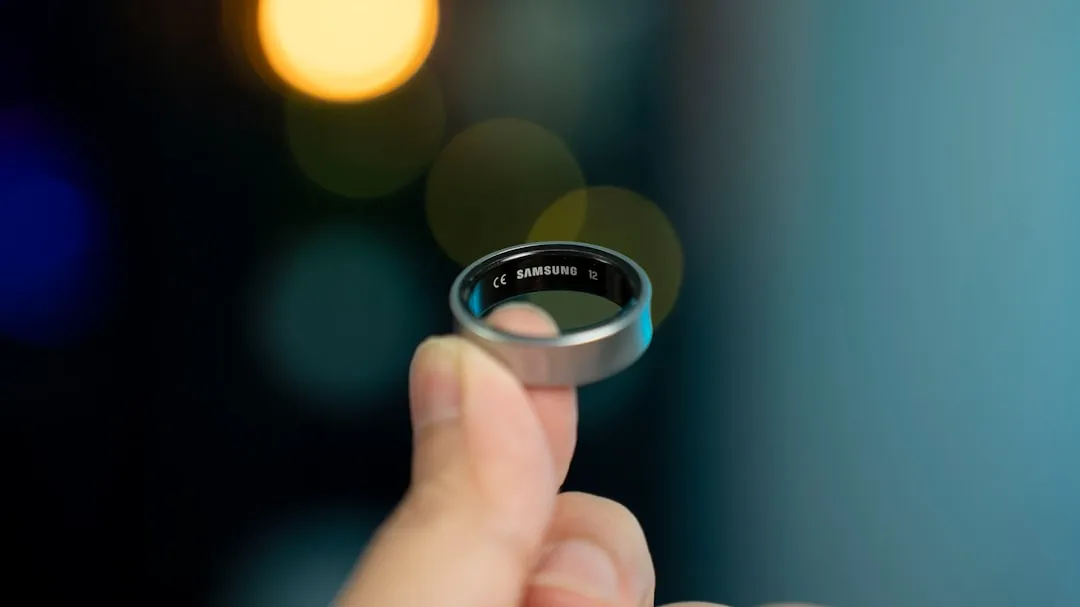
When your Galaxy Ring suddenly goes quiet for days, you might not even realize it's happened. That's exactly the problem Samsung's new notification system is designed to solve. The Galaxy Ring has established itself as one of the most talked-about wearables in recent months, according to repair specialists, but there's been one persistent headache: users sometimes don't know when their device has stopped tracking their health data entirely.
Many users have encountered persistent connectivity challenges, with some devices struggling to maintain stable Bluetooth connections to their smartphones, as reported in Samsung community forums. Samsung's new alert system addresses this real pain point for users who invest in their premium health tracking device.
Understanding the disconnection notification system
Samsung's approach to this notification system actually makes sense when you think about how people use wearables. The feature activates when your ring loses connection with your smartphone for several consecutive days — not just a few hours or even a full day. This is smart design, because brief disconnections happen all the time in normal use.
Your phone's battery dies overnight. You step outside your home's Wi-Fi range and wander beyond Bluetooth coverage, which extends just under 100 feet, according to Android Authority. Maybe you're traveling, and your devices get temporarily separated. These scenarios shouldn't trigger panic alerts.
What the system specifically targets are those extended outages that could indicate real hardware problems or situations where you've simply forgotten to troubleshoot basic issues. The multi-day threshold ensures you're only getting notifications when something genuinely needs your attention, rather than dealing with false alarms from temporary interruptions.
Why Galaxy Ring disconnections happen so frequently
Let's break down what's actually causing these persistent connectivity problems — because understanding the root cause helps you prevent them. The Galaxy Ring's multiple sensors are working constantly to monitor your health metrics. We're talking about heart rate tracking, temperature monitoring, sleep analysis, and SpO2 measurements running simultaneously, according to repair specialists.
Here's where things get complicated: when the device attempts frequent data synchronization with Samsung Health via Bluetooth, interrupted connections can trigger repeated sync attempts that drain the battery faster than expected, based on technical analysis. It's like your ring keeps knocking on your phone's door, and when nobody answers, it knocks harder and more frequently.
Environmental factors also play a bigger role than most people realize. Devices operating on similar frequencies can interfere with the ring's Bluetooth connection, according to troubleshooting guides. Your microwave, wireless router, other Bluetooth devices, and even some wireless headphones can create interference that disrupts the connection.
There's also a software angle that catches many users off guard. Battery optimization settings on smartphones can restrict background app activity, causing the Samsung Health connection to break when the app isn't actively running, as documented in repair resources. Your phone is essentially putting Samsung Health to sleep to save battery, which defeats the whole purpose of continuous health monitoring.
Practical solutions that actually work
When your Galaxy Ring starts acting up, these proven troubleshooting steps can restore reliable connectivity — and I've listed them in order of effectiveness based on user reports.
Start with the basics: restart both your Galaxy Ring and smartphone to clear temporary connection glitches, recommended by repair experts. This sounds almost too simple, but it resolves a surprising number of connection issues because it clears cached data and resets Bluetooth protocols.
Next, completely unpair and re-establish the connection through your Bluetooth settings and Samsung Health app to refresh the pairing protocol, according to troubleshooting guides. Don't just disconnect — remove the device from your Bluetooth list, then set it up as if it's brand new.
Always verify that both your ring's firmware and the Samsung Health app are running the latest available versions, as suggested by technical support. Samsung regularly pushes updates that address connectivity issues, and running outdated software often causes problems that have already been fixed.
PRO TIP: For charging-related issues, clean the charging contacts using a microfiber cloth to ensure proper electrical connection, based on maintenance recommendations. Dust, sweat, and skin oils can build up on the contacts and prevent proper charging, which leads to unexpected battery drain and connection drops.
If these basic steps don't resolve persistent problems, Samsung offers multiple support channels, including Facebook Messenger, Twitter, dedicated service websites, and live chat options, according to community support documentation. Don't suffer through connection issues — Samsung's support team can often identify hardware problems or provide device-specific solutions.
The bigger picture: Samsung's ecosystem integration
This notification feature represents something larger than just a simple alert system — it's part of Samsung's broader strategy to create seamless health tracking experiences across their entire device ecosystem. The latest SmartThings platform update integrates directly with Samsung Health, allowing the Galaxy Ring to automatically adjust your smart home environment based on actual sleep and wake patterns, according to Samsung's official announcement.
What makes this integration genuinely valuable is how it creates actionable insights beyond just health tracking. Sleep environment reports now provide detailed insights into temperature, humidity, carbon dioxide levels, and light intensity to optimize rest conditions, based on Samsung's press release. These reports analyze the previous night's conditions and offer personalized improvement suggestions, as outlined in Samsung's documentation.
The Galaxy Ring's lightweight titanium construction, weighing just 2.3-3 grams, makes it comfortable for continuous wear during sleep tracking, according to product specifications. This becomes crucial when you consider that effective sleep optimization requires consistent data collection over time — something that's impossible if your device keeps disconnecting without you knowing it.
What this means for your daily health tracking
Bottom line: Samsung's disconnection alerts help ensure you're actually capturing the health data you're paying for. The Galaxy Ring was designed to provide up to seven days of battery life, though real-world testing consistently shows 5-6 days of actual usage, based on review analysis. When connection issues interfere with this timeline, you lose valuable health insights without even realizing it.
The portable charging case extends total usage up to 14 days without requiring a wall outlet, according to product documentation. But this extended battery life only matters if your device maintains consistent connectivity to sync the data it's collecting.
For users experiencing hardware-level connection problems that basic troubleshooting can't resolve, Samsung provides comprehensive warranty support, though investigating certain issues may still involve costs even for devices under warranty, as noted in community forums.
The key takeaway is that this notification feature addresses a real gap in user experience. You might assume your ring is working fine while missing days or weeks of health data collection. With Samsung's new alert system, at least you'll know when something's wrong — and can take action before losing too much valuable health tracking information. This proactive approach transforms a premium wearable investment into a reliable health monitoring partner that actually keeps you informed when intervention is needed.




Comments
Be the first, drop a comment!