



One UI 9 Good Lock ClockFace clock position bug: workaround
Samsung has confirmed the One UI 9 Good Lock ClockFace clock position bug is real. The company's own Good Lock support team reproduced the reported behavior, in which a custom lock screen clock design lands in a different spot than the one selected in LockStar, Android Authority reported seven weeks ago. That reproduction matters because it rules out a one-off device quirk, though the confirmation so far only covers the single case Samsung actually tested.
That case traces back to a Galaxy S26 Ultra owner who hit the problem shortly after installing stable One UI 9, the version Samsung had just started pushing to the Galaxy S26 series in Korea, Android Authority reported. Samsung says its development team is investigating. The support response cited by Android Authority gave no patch version, no Good Lock update number, and no release timeline, so nothing in that reply should be read as a fix arriving soon.
This article covers what the bug actually does, Samsung's recommended workaround and its trade-offs, how to escalate if that workaround doesn't help, which devices are documented so far, and what still isn't known.
What Samsung has confirmed about the Good Lock ClockFace clock moving issue
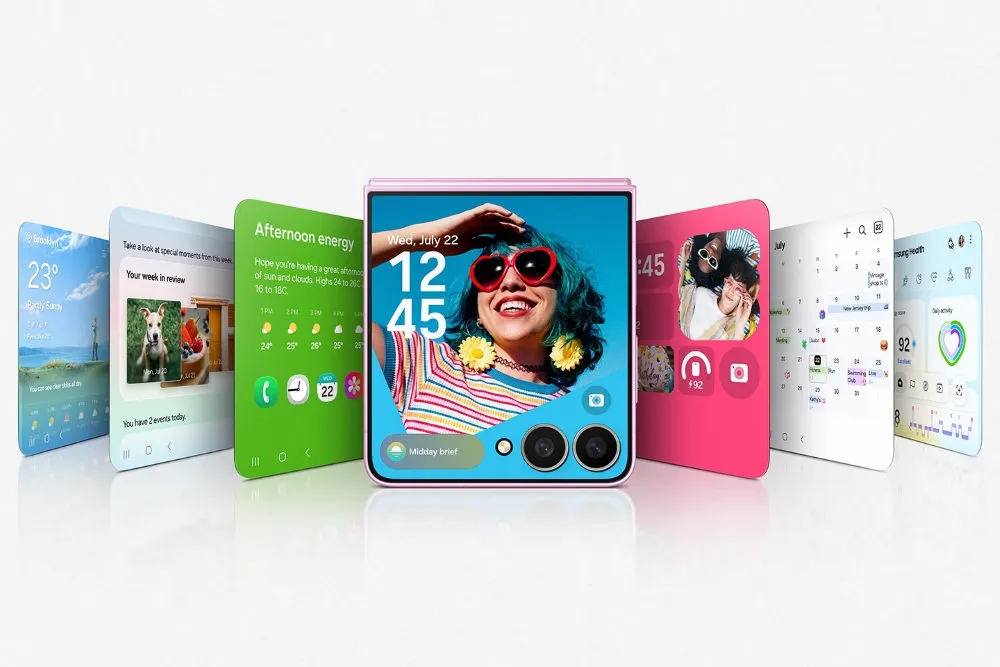
In the case Samsung reproduced, the LockStar editor showed the time and date positioned close together, exactly as the user had arranged them. The actual lock screen, and the Always-On Display, rendered the same elements much farther apart, Android Authority reported. The clock itself shifted to nearly the top of the display, regardless of where the user had placed it in the editor.
Samsung's Good Lock support team confirmed it reproduced that exact mismatch between the editor preview and what shows up on the device, and said the issue is under active investigation, according to Android Authority. That confirmation describes what the bug does, not why it happens. No source identifies whether the cause sits in ClockFace itself, in LockStar's rendering, or somewhere in One UI Home, so treat any specific explanation as unverified until Samsung says otherwise.
Good Lock default clock style workaround: what Samsung recommends
Samsung's interim guidance is to move away from a Good Lock ClockFace design and try one of the phone's built-in default clock styles instead, Android Authority reported. It's the only workaround Samsung has recommended, not a documented fix with guaranteed results on every device. No source confirms the exact settings path for making that switch on a stable One UI 9 build, so check your own phone's lock screen customization menu rather than following steps pulled from a different model or OS version.
The trade-off: custom ClockFace designs get dropped while the default style is active. There's no confirmed setting that lets a custom clock stay on screen while also fixing its position. If placement matters more than the design itself right now, switching is the option Samsung has actually put on the table.
What to do if a default clock style still misplaces the clock
If switching to a default style doesn't solve it, Samsung asks affected users to submit an error report with logs, Android Authority reported. Logs give the team something concrete to work from, which matters more here since Samsung hasn't pinned down a root cause.
A separate One UI 9 beta thread shows what that reporting path can look like for beta participants. In a post about a stuttering clock animation on a Galaxy S24 Ultra running the One UI 9 beta, Samsung's India beta team laid out these steps: open Samsung Members, tap the beta banner, switch to beta mode, go to Beta feedback, select Send feedback, then choose Error report, according to Samsung Members, about two months ago. That path was given for a different bug, on a different device, within the beta program. Stable One UI 9 users may see a different menu layout when reporting feedback, so treat this as a rough template rather than an exact guide.
There's also an unverified community report worth knowing about. During the One UI 9 beta period, one user said clearing the cache for the One UI Home app corrected their clock's position, restoring it to the spot they'd originally selected, according to a Samsung Community post from six months ago. That's one person's experience on a beta build, not a confirmed fix for stable One UI 9, and nothing ties it to the ClockFace bug Samsung reproduced on the S26 Ultra.
Which Galaxy phones are confirmed affected
The only company-acknowledged case is a Galaxy S26 Ultra running stable One UI 9, reported after Samsung's stable rollout reached the Galaxy S26 series in Korea, Android Authority reported. That's the extent of what Samsung has publicly reproduced.
A separate, earlier community report hints at a possibly related placement problem from further back in the One UI 9 beta cycle. A user posted that their lock screen clock kept drifting down even after selecting top placement, following the beta 2 update, according to the same Samsung Community thread from six months ago. Whether that beta-era issue and the stable-build ClockFace bug share a cause is unconfirmed; no source links the two reports directly.
Samsung's response, as cited by Android Authority, named no other affected models, carriers, or regions beyond the S26 Ultra case it tested. Don't assume the bug is limited to that one phone, and don't assume it's confirmed on others, including other Galaxy S26 variants, older flagships, or foldables. The scope beyond that single documented case is simply unknown right now.
What's still unconfirmed, and what to do now
Beyond the S26 Ultra report, Samsung has not named a patch version, a Good Lock update number, or a release timeline. The investigation is described only as ongoing, with no public word on what specifically breaks between LockStar's preview and the on-device render.
Other One UI 9 lock screen clock reports shouldn't get credited for fixing this same bug. A Samsung Community post from about two months ago described an update to the Wallpaper and Style app, version 3.0.10.38, that reportedly fixed adaptive clock behavior for the original poster, though a reply in that same thread said the clock kept landing in different spots after updating. The Samsung Members thread cited earlier for its reporting steps concerns a stuttering clock animation on the Always-On Display, not a placement error. Neither has an established connection to the ClockFace-versus-LockStar mismatch Samsung reproduced on the S26 Ultra, so don't credit either one with fixing the bug covered here.
If One UI 9 with a Good Lock ClockFace design is putting the lock screen clock somewhere you didn't choose, switch to one of the phone's default clock styles first; that's the recommendation Samsung has actually made. If the misplacement continues even with a default style active, submit an error report with logs through Samsung Members. Hold off on crediting any Good Lock, Wallpaper and Style, or One UI update with fixing this bug unless Samsung names it explicitly in that update's release notes.




Comments
Be the first, drop a comment!