



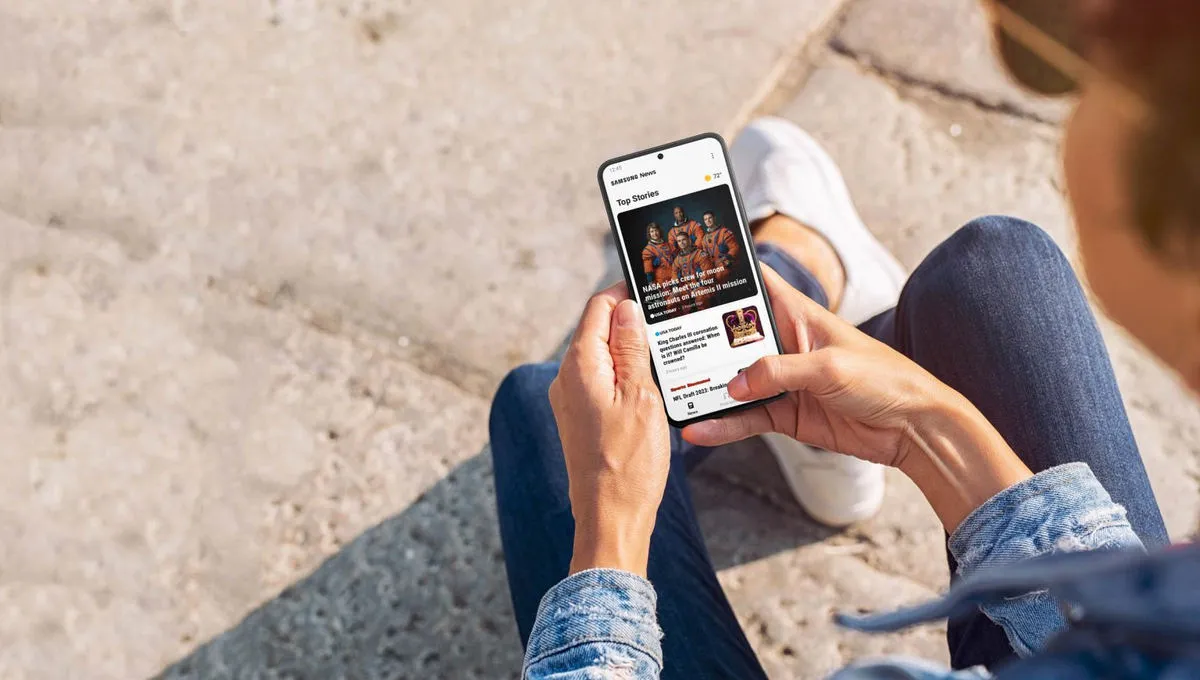
Samsung News is shutting down worldwide on December 21, 2026, bringing an end to the built-in news service that many Galaxy owners use for headlines, sports scores, stock updates, and personalized recommendations. Samsung News will stop providing content through its app, home-screen feed, and widget, leaving regular users with a deadline to preserve their preferences.
The first shutdown notices appeared in India and South Korea, with the service scheduled to close at 00:00 UTC on December 21. On November 3, ChosunBiz reported that the shutdown applies worldwide, citing Samsung Electronics.
Samsung also plans to delete user profiles and personalization data associated with the service, subject to legal retention requirements. Although the shutdown won't affect unrelated information stored on Galaxy devices, anyone who has customized Samsung News should record those settings before the cutoff.
Samsung News shutdown date and affected devices
Samsung News will stop operating worldwide on December 21, 2026, at 00:00 UTC. The shutdown covers content delivery through the app, its dedicated home-screen media feed, and the widget that displays news and other updates.
Samsung has not published a model-by-model shutdown list. However, the worldwide closure concerns the Samsung News service wherever it is available, rather than a particular Galaxy phone generation or One UI release.
The distinction matters for owners of older Galaxy devices. Losing Samsung News does not mean a phone or tablet has reached the end of its software support. Android updates, security patches, and other installed apps operate independently of the news service.
Users can open Samsung News to check for a discontinuation notice. The first reported banners appeared in India and South Korea, but the absence of a notice on another device should not be interpreted as confirmation that its news service will continue.
Samsung has not announced a direct replacement or a process that automatically transfers existing Samsung News preferences to another platform.
What happens to your Samsung News data?
Samsung's discontinuation notice says personal information associated with Samsung News will be deleted without undue delay after the service ends. This includes user profiles and personalization data collected through the app.
Some information may remain temporarily where applicable laws require Samsung to retain it. In those cases, deletion would follow the relevant retention period.
The shutdown does not mean Samsung will erase your broader Samsung account, Google account, photos, contacts, messages, or other content stored on your Galaxy device. The deletion applies specifically to information associated with Samsung News.
There is an important difference between Samsung deleting data and users being able to retrieve it. Samsung has not announced an official export or migration tool for Samsung News preferences. Once the service closes, users should not assume they can reopen the app to recover their followed sources or settings.
Samsung also recommends removing the Samsung News widget from the home screen after discontinuation. That is a housekeeping measure because the widget will no longer receive fresh content, not a requirement for protecting unrelated device data.
What to save before Samsung News disappears
If you have spent time customizing Samsung News, the safest approach is to preserve a record of your preferences manually. Screenshots and saved article links won't recreate your feed automatically, but they can help you rebuild it elsewhere.
Save your followed publications and topics
Open Samsung News and look for the Following tab, if your version includes it. This is where users can manage preferred story types, publications, local-news locations, and other interests.
Take screenshots of the sources and topics you want to continue following. Samsung's official Samsung News support guide also documents another customization route:
Open Samsung News and select the News tab.
Tap the three-dot menu and open Settings.
Select Manage news topics.
Review your selected interests and capture screenshots of the settings you want to keep.
Menu names and available features may differ depending on the app version, region, and device. If you don't see these options, check the app's other settings rather than assuming your version supports the same controls.
Record sports, stocks, and other interests
Samsung News has offered sports and financial information alongside traditional news coverage. If your version includes personalized teams, companies, or market interests, record those selections separately.
For example, a user following several sports teams and financial topics may find that a replacement news feed recommends similar stories without reproducing the same selections. Keeping a simple list makes it easier to recreate those interests.
Also check for podcast subscriptions, local-news preferences, and notification settings if you use those features. Not every version of Samsung News offers the same options.
Save articles you want to revisit
If you have articles you want to keep, open them on the original publisher's website and bookmark their URLs in your browser.
You can also organize those links into a dedicated bookmarks folder or save them to a reading-list service. This keeps the links outside Samsung News, rather than relying on the discontinued app to provide access later.
A screenshot of a headline can help you identify a story, but saving the publisher's URL is generally more useful when you want to revisit the full article.
Why Samsung is ending its news service
Samsung News launched in the United States in April 2023 as an update to Samsung Free. It brought together news from participating publishers, personalized feeds, morning and evening briefings, and podcasts.
The service followed several earlier Samsung home-screen experiences, including Samsung Daily and Bixby Home. Unlike those previous transitions, Samsung has not announced another rebranding or direct successor to Samsung News.
The decision also follows a relatively recent expansion. In May 2026, Samsung introduced additional publisher content and short-form news videos for Galaxy users in the United States and Canada. The update emphasized personalized stories, video coverage, and information from established news organizations.
Less than seven months later, the service is scheduled to close.
According to ChosunBiz's November 3 report, a Samsung Electronics representative attributed the shutdown to changes in how people consume news. The company has not identified a specific technical problem or announced that Galaxy AI or Gemini will replace Samsung News.
For users, the practical consequence is simpler: a familiar Samsung-managed news destination is disappearing, while other news apps and personalized feeds remain available.
How to switch from Samsung News to Google Discover
Google Discover is a straightforward alternative for Galaxy owners who want to keep a personalized news feed on their home screen. It is already supported on many Galaxy phones and tablets, although Samsung has not announced that it will automatically replace Samsung News after December 21.
You can switch between the two services on supported devices without waiting for the shutdown.
Switch feeds from your home screen
Samsung's Google Discover setup instructions describe the following steps:
Touch and hold an empty area of your Galaxy home screen until the editing interface appears.
Swipe right to the leftmost media panel.
If both options are available, select Google Discover instead of Samsung News.
Return to your home screen, then swipe right to open Discover.
If the media panel is disabled, check its switch in the home-screen editing interface. Depending on your One UI version, you may also find media-page controls under Settings > Home screen.
Google Discover availability varies by country, carrier, and device model. Some Galaxy owners may see different controls or may not have the option at all.
Will Google Discover restore your Samsung News feed?
No automatic transfer has been announced. Google Discover recommends articles based on your interests and activity associated with Google services, but it does not import your Samsung News profile.
You may see similar subjects after switching, especially if you already use Google services regularly. However, followed publications, local-news preferences, and other Samsung News selections should not be expected to appear automatically.
Google Discover is useful for browsing recommended stories, but it isn't necessarily the best substitute for someone who wants precise control over individual publishers.
Google News offers more direct options for following publications and topics, while RSS readers can help users build a feed around specific websites. Neither should be treated as an automatic migration destination for Samsung News data.
Before the December 21 cutoff
The shutdown doesn't require Galaxy owners to replace their phones, change Samsung accounts, or back up unrelated device data. The main task is preserving anything they want to keep from Samsung News itself.
Start with followed publications and topics, then record any sports, financial, podcast, or local-news preferences available in your version of the app. Save important article links separately and try an alternative feed while Samsung News remains accessible.
Once the service closes, its personalized settings won't automatically follow you to Google Discover or another news app. A few screenshots and saved links before December 21 can spare you from rebuilding your news feed entirely from memory.


Comments
Be the first, drop a comment!