



Samsung LockStar update leak: What One UI 9.5 confirms
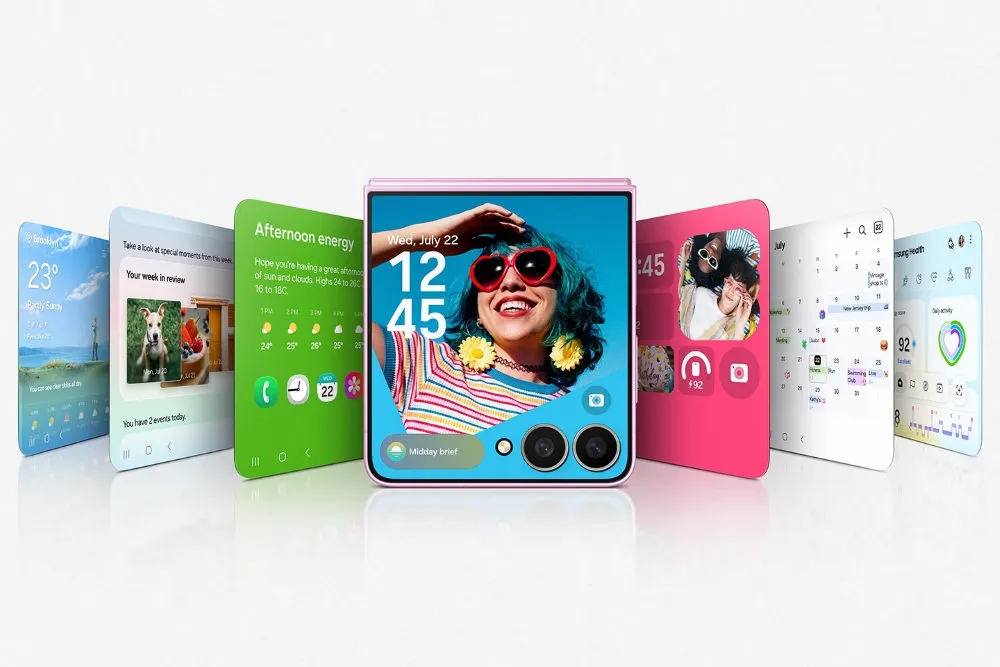
A leaked One UI 9.5 system-app archive lists Samsung's LockStar module at version 9.5.00.0, with a single line of description: "Redesigned lock screen UI & widget layout system." That's the entirety of the Samsung LockStar update leak, reported by NPowerUser two days ago, and it stands out as the most prominent user-facing visual update among a larger batch of leaked Galaxy system apps.
The report doesn't name a new unlock gesture, animation, or authentication method tied to the update, so don't read "redesigned" as code for a new way to unlock your Galaxy phone. It also doesn't say which models get the redesign first, which regions see it first, or when a public rollout starts. NPowerUser expects an official One UI 9.5 beta for flagship devices to open in the coming weeks, ahead of a formal release tied to Samsung's next flagship lineup early next year, but that's the outlet's own projection rather than a confirmed Samsung roadmap. (NPowerUser)
This applies to anyone currently running Good Lock's LockStar module on a Galaxy phone. Samsung hasn't released version 9.5.00.0 through the Galaxy Store or confirmed it publicly, so there's nothing from this leak to install or test yet. What follows separates what the label actually shows from what LockStar already does, and what would need to happen before this counts as a confirmed Galaxy lock screen customization update.
What the leaked One UI 9.5 LockStar build actually shows
The version tag sits inside a larger archive that NPowerUser describes as early internal builds targeting Android 17 system environments. LockStar isn't the only entry: Camera Assistant jumps to version 5.5.00.5 with high-framerate processing animations and UI tweaks, and Samsung Keyboard gains enhanced Galaxy AI shortcuts and rearranged layout controls, among other system-app updates in the same archive. (NPowerUser)
"Redesigned lock screen UI & widget layout system" is broad enough to describe several very different things: a reworked widget-editing screen, a new default arrangement for existing widgets, repositioned clock placement, changed Always On Display behavior, or a new menu for picking unlock animations. The label covers all of those equally, and NPowerUser doesn't narrow it down with screenshots, UI strings, or a walkthrough.
NPowerUser does frame LockStar's entry as the most prominent user-facing visual update in the whole archive. (NPowerUser) That's the outlet's own framing, not a side-by-side comparison proving LockStar changes more than, say, the keyboard or camera app does.
What Samsung's Good Lock LockStar update already controls
LockStar has a recent track record of small, fully documented changes, and lining those up against the 9.5.00.0 label shows exactly how much the new listing leaves unanswered.
Version 8.5.00.10, released earlier this year, added an unlock animation called Swirl, where the lock screen visually swirls away before the home screen appears. That update was limited to One UI 8.5 (Android 16 QPR2) on the Galaxy S25, S25+, and S25 Ultra, and it also adjusted the manual brightness range for full-screen Always On Display and improved status-bar visibility on the unlock-animation edit screen. (SamMobile)
A follow-up maintenance release, version 8.5.00.17, arrived a few weeks later, also earlier this year. It fixed a lock screen and AOD clock settings error, resolved Smart Switch and GTS transfer errors, and corrected a manual-brightness malfunction on devices without full-screen AOD. (MobilityArena)
Both of those releases name an exact animation, screen, or bug. The 9.5.00.0 label names none of that. It doesn't confirm whether the redesign touches the unlock-animation system Samsung expanded earlier this year, the brightness and clock settings fixed in the maintenance patch, or an entirely new layout tool that's never shipped in any LockStar version. The same leaked archive also describes transition work elsewhere, including reworked app open-and-close scaling curves meant to cut frame drops on 120Hz AMOLED panels, plus smoother fade-to-black and expand transitions in Always On Display and Device Care when the screen wakes. (NPowerUser) Those belong to separate apps, and the archive touching animation work across multiple components doesn't prove LockStar's redesign uses the same approach.
What remains unknown about eligibility and rollout
The leak doesn't list which Galaxy models would get the One UI 9.5 beta first, whether phones outside the current flagship lineup qualify, or which regions open enrollment before others. NPowerUser's "coming weeks" beta estimate and "early next year" formal release both reflect the outlet's expectation that Samsung will repeat its usual pattern of pairing One UI point releases with new flagship launches. Neither detail comes from an announced Samsung schedule. (NPowerUser)
What to check now
LockStar updates that have actually shipped can be checked directly in the Galaxy Store:
- Open the Galaxy Store app.
- Tap the hamburger menu in the top-left corner and select Updates.
- Tap Update All to install whatever version Samsung has already released for the module. (MobilityArena)
The most recent shipped versions are 8.5.00.10 and 8.5.00.17. Version 9.5.00.0 exists only inside the leaked archive, with nothing indicating Samsung has pushed it through the Galaxy Store or acknowledged it in an official changelog.
Sideloading the leaked build to get an early look carries its own risk, stability issues and compatibility problems on a phone handling daily tasks, separate from whether the redesign itself is even finished. A Samsung beta changelog, a Galaxy Store listing referencing 9.5.00.0, a Samsung Members announcement, or independent testing from someone enrolled in the One UI 9.5 beta would be what actually moves this from leak to confirmed feature.
A separate Galaxy lock screen security change to know about
Unrelated to the LockStar leak, Samsung support documentation describes a stricter One UI 9 lockout policy: 13 incorrect PIN, password, or pattern attempts trigger a lockdown, and the device then requires a full factory reset to regain access, according to that documentation, reported about four months ago. Biometric unlock doesn't remove the risk either. Android's security policy still requires entering a backup PIN, password, or pattern every 72 hours, even for phones set to unlock by face or fingerprint. (Android Police)
This applies once a device has actually received the One UI 9 update, which depends on a given model's own rollout timeline rather than anything tied to the LockStar leak. If the lockout does trigger, Factory Reset Protection means getting back in requires signing into both a Samsung account and a Google account afterward. (Android Police)
What to do now
Nothing needs installing or testing from the LockStar leak today. Version 9.5.00.0's "redesigned lock screen UI & widget layout system" is a real label inside a leaked archive, but it stays unverified as an actual feature until Samsung or a beta build shows what changed.
Current Good Lock users have one concrete step: check the Galaxy Store for the already-shipped 8.5.00.17 update, not the leaked 9.5 build, and watch Samsung Members for an official One UI 9.5 beta notice before expecting new customization options. Anyone already running One UI 9 should separately confirm access to both Samsung and Google account credentials. That's a precaution worth taking regardless of how the LockStar redesign eventually turns out.

Comments
Be the first, drop a comment!