





Galaxy F56 One UI 9 update India: firmware E566BXXU7DZJ1
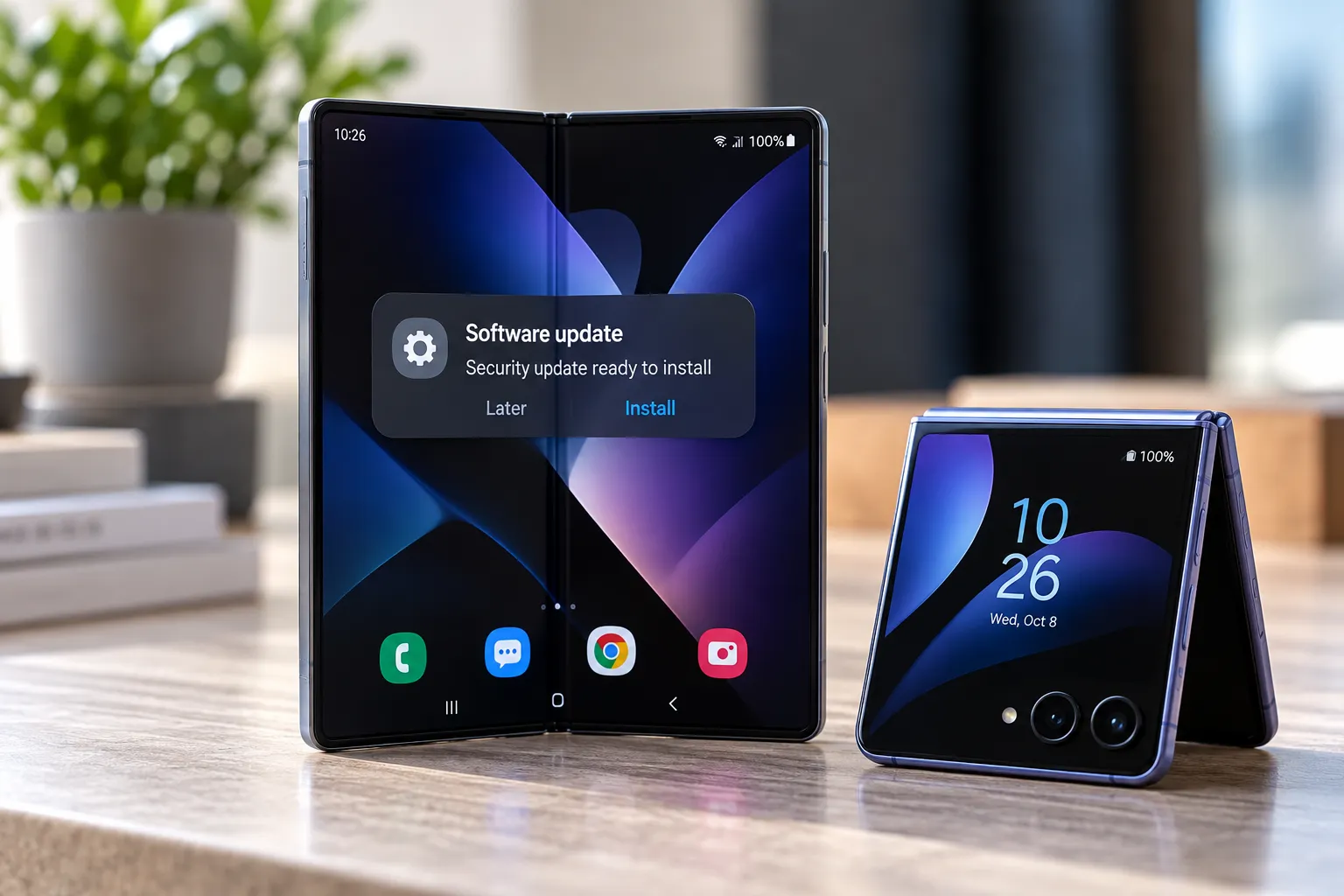
Samsung has started rolling out One UI 9.0, built on Android 17, to Galaxy F56 units in India. The update carries firmware E566BXXU7DZJ1, weighs about 2,209.02MB (2.2GB), and bundles the October 2026 security patch, which SamMobile reports addresses 62 security issues (SamMobile, today; SammyGuru, today).
India is the F56's primary market, and the rollout has begun there (SammyGuru, today). Indian F56 owners can check right now by heading to Settings > Software update, but Samsung is pushing this out in waves by region, carrier, and model, so not every eligible unit will see the notification at the same time (SamMobile, today; SammyGuru, today). Before updating, it's worth knowing which features are actually confirmed for this specific device versus the broader One UI 9 pitch Samsung has used for its flagship lineup.
Galaxy F56 One UI 9 update in India: how to check for it
The clearest sign that an Indian F56 is on the reported stable build is the firmware version itself: E566BXXU7DZJ1 (SamMobile, today; SammyGuru, today). That number shows up under Settings > About phone > Software information once the update installs, and it's the simplest way to confirm the phone actually received this rollout rather than an older patch still waiting to update.
The package itself lists at 2,209.02MB, and it folds in the October 2026 security patch alongside the One UI 9 features. SamMobile reports that patch resolves 62 security issues on its own, separate from anything tied to the interface changes (SamMobile, today).
To check availability, go to Settings > Software update > Check for updates (SamMobile, today; SammyGuru, today). Because Samsung staggers delivery by region, carrier, and model, two Indian F56 owners with eligible devices may still see the prompt arrive at different times (SammyGuru, today). That's standard for how Samsung handles OTA distribution, not a sign that something is wrong with a given unit.
What's new in the Galaxy F56 Android 17 update
One UI 9 reworks the Quick Panel with more customization than before. Users can rearrange controls and resize the brightness and volume sliders to fit how they actually use the shortcuts, rather than living with a fixed layout (SamMobile, today; SammyGuru, today).
The lock screen gets a clock that adapts to the selected wallpaper, and the update introduces alerts that flag when an app accesses the device's location, giving users a clearer window into background permission activity (SamMobile, today).
Accessibility sees some of the more substantial additions in this release. Text Spotlight enlarges and highlights on-screen text, while Select to Speak reads or describes selected content aloud; the update also adds physical keyboard shortcuts and improved mouse controls for anyone who pairs peripherals with the F56 (SamMobile, today).
Beyond those headline changes, SamMobile and SammyGuru both report improvements to Samsung Notes and DeX multitasking, a redesigned Samsung Health interface with better charts and data logging, and improved Bixby conversation management (SamMobile, today; SammyGuru, today). These come from the same specialist outlets covering the rollout, not from an official Samsung changelog specific to the F56, so treat them as reported contents of the update rather than independently verified line items.
Warranty and Care and Galaxy AI features: what Samsung hasn't confirmed for the F56
Both outlets confirm the F56 build adds a new Warranty and Care menu and a quicker phone-locking option (SamMobile, today; SammyGuru, today). What's less clear is how much of that menu actually does on this phone.
Samsung's general One UI 9 rollout announcement describes Warranty and Care as a way to check coverage across connected devices, run self-diagnostics, view repair estimates, and manage Samsung Care+ or book service, all from inside Settings (Samsung Newsroom India, 6 weeks ago). That announcement covers the Galaxy S26 series and the Z Fold8 and Flip8 lineup, not the F56, so it describes what the feature is capable of in general rather than confirming every function works identically on a mid-range phone. The menu exists on the F56; which of those specific capabilities are active there hasn't been documented in the F56-specific reporting.
The same Samsung announcement also promotes a wider set of Galaxy AI tools rolling out with One UI 9: My FanCam for automatically reframing video around a tracked subject, editable Now Brief cards, Privacy Alerts that flag background permission access, and Security Brief for surfacing malware and permission warnings (Samsung Newsroom India, 6 weeks ago). None of those tools appear in the SamMobile or SammyGuru coverage of the F56 build. Availability on this specific model remains unconfirmed, and the only reliable way to know whether any of them showed up is checking the phone's own changelog after installing.
How to download One UI 9 on Galaxy F56: what to check before updating
Firmware builds like E566BXXU7DZJ1 are tied to a specific region and model, so confirming the phone is an Indian-market Galaxy F56 is worth doing before expecting this particular OTA. The F56's earlier One UI 8.5 rollout also started in India, one of the first markets to get it, before reaching other regions (SamMobile, 5 months ago). That update arrived under firmware E566BXXU5CZE2, a different build number from the current One UI 9 release, which underscores why checking the exact firmware string matters more than just seeing an update notification.
Given the 2.2GB download size, connecting to Wi-Fi, confirming enough free storage, and backing up important data before starting are reasonable precautions (SamMobile, today). None of that is F56-specific advice, but it applies to any update of this size on a mid-range device with modest onboard storage.
Rollout order doesn't track device age in any predictable way. SammyGuru reports the older Galaxy F54 received One UI 9 a full month before the newer F56 did (SammyGuru, today). A missing notification on an eligible F56 doesn't necessarily point to a problem with the device; it could reflect server-side rollout timing, carrier-specific scheduling, or simply being in a later wave of the staged release.
Samsung's own messaging around One UI 9's beta expansion earlier this year noted that availability and timing vary by market (Samsung Newsroom U.K., 2 months ago). That's a useful baseline for F56 owners outside India waiting on their own regional rollout: there's no published timeline for other markets yet, and sideloading a build intended for a different region or carrier risks installing software that wasn't meant for that specific hardware configuration.
Indian F56 owners can check Settings > Software update right now and confirm the build number reads E566BXXU7DZJ1 once it installs. If the notification hasn't shown up, waiting for Samsung's staged rollout to reach that specific unit is the safer move rather than chasing a workaround. Owners outside India should watch for their own market's OTA and treat Samsung's Warranty and Care functions and flagship AI features as unconfirmed on the F56 until they show up in a changelog, not assume they're included just because Samsung mentioned them in its broader One UI 9 announcement.



Comments
Be the first, drop a comment!