



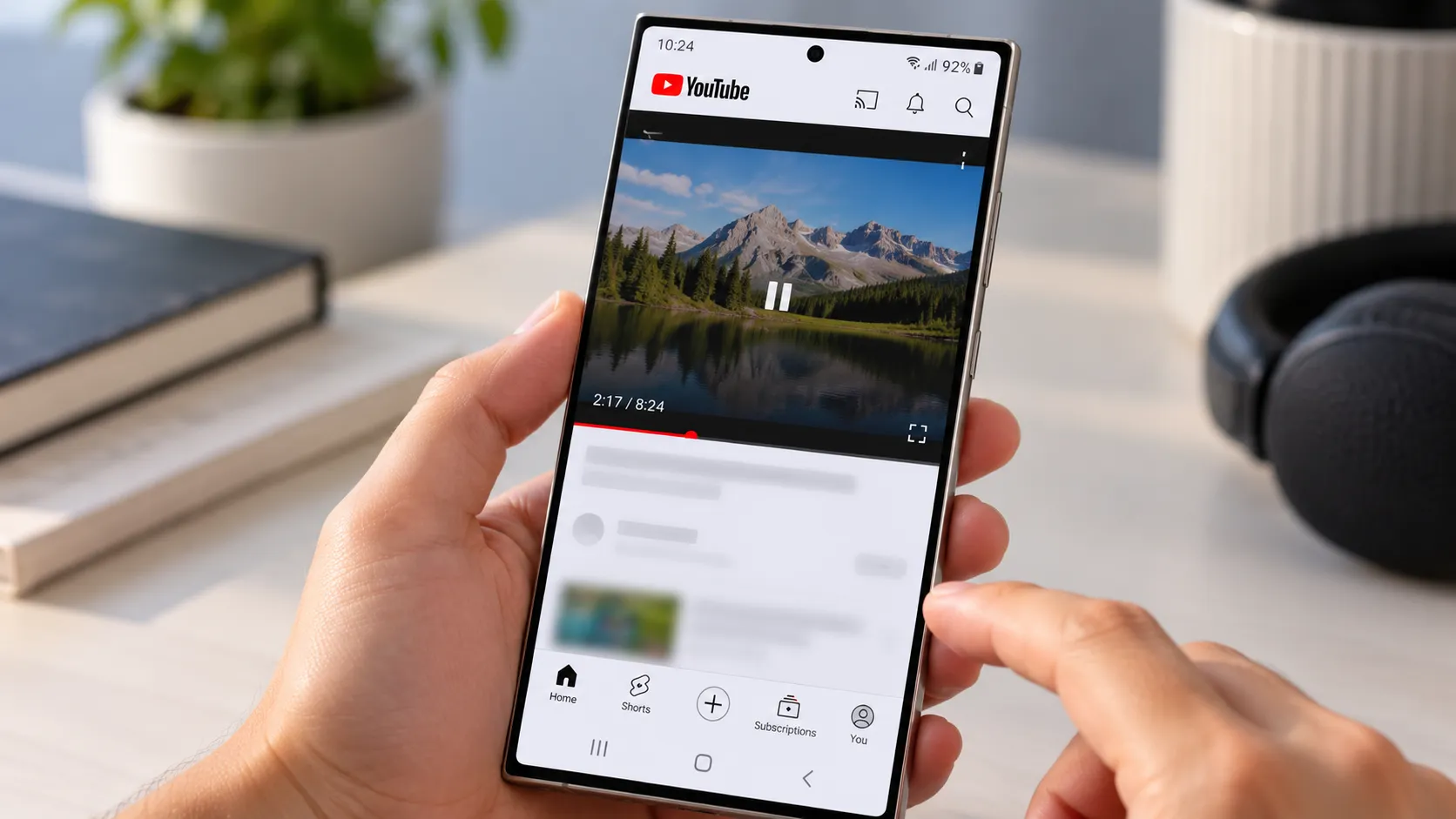
YouTube freezing on Samsung Galaxy phones is turning into a recurring complaint, and the reports cluster around three recent models: the Galaxy Z Fold 8 Ultra, the standard Galaxy Z Fold 8, and the Galaxy S26 Ultra.
The trigger follows a consistent pattern: leave YouTube mid-video, switch to another app or the home screen, then come back, and the picture locks on one frame while the sound keeps playing.
The reports aren't a controlled survey, but they're not limited to one post either. Roughly a dozen commenters echo the same freeze in a Korean-language Samsung Members thread, and separate discussions on Reddit's r/GalaxyFold describe the same symptom.
None of that adds up to a confirmed, widespread defect, and neither Samsung nor YouTube has publicly acknowledged this specific problem as of Oct. 1. If you're seeing this exact freeze on one of these three phones, there's no verified fix yet, just a handful of reversible checks worth running.
Which Galaxy phones are reporting the YouTube freezing bug?
Owners describe watching a video normally, switching away from YouTube to check a message or lock the phone, then coming back to find the video frozen on a single frame while audio plays right through it. It doesn't happen every time. Sometimes switching apps and back triggers it, sometimes it doesn't, according to the original poster in the Samsung community thread driving much of the coverage.
The Z Fold 8 Ultra shows up most often in the complaints, but it isn't the only device involved. Some users say they've hit the identical freeze on the standard Z Fold 8 and Galaxy S26 Ultra, and the Samsung Members thread has continued collecting reports over several weeks, according to Notebookcheck.
Android Authority similarly found that most reports involved the Z Fold 8 Ultra, with some owners of the other two models describing the same behavior.
How to tell if YouTube freezes after switching apps on Galaxy
The reported bug follows a specific sequence, not just a vague "video acts weird" complaint. Video plays normally at first. You switch away from YouTube, to the home screen, another app, or by locking the phone, while a video is running. When you return, the picture is stuck on one frame, but the audio keeps going as if nothing happened.
PhonAndroid describes the same behavior, with users reporting frozen video after leaving and reopening YouTube while the audio continues playing.
That's different from general buffering, choppy playback, or the app crashing outright. It's also not the same as other Galaxy YouTube problems involving force-closing or playback errors.
Narrowing it to that exact app-switch trigger is what separates this report from other, unrelated YouTube complaints among Galaxy owners.
What Samsung and YouTube haven't confirmed
Neither Samsung nor YouTube has publicly addressed this specific return-to-app freeze as of Oct. 1.
The reporting so far doesn't establish a common One UI version, Android build, YouTube app version, carrier, or region tying all of the complaints together. Owners of other Galaxy models shouldn't assume they're immune to something similar, and owners of the three named phones shouldn't assume every unit is affected. Every claim here should be read as reported, not confirmed.
Current reporting also doesn't establish whether the fault sits in Samsung's software, YouTube's Android app, or how the two interact when a video gets pushed into the background.
There's also no confirmed explanation for why the Z Fold 8 Ultra appears more frequently in reports than the other models. The number of reports is too small to establish how widespread the problem is.
What to try while you wait for a fix
There is no verified fix for this exact freeze yet, but a few low-risk troubleshooting steps are worth trying.
Start with the basics:
Swipe YouTube away from your recent apps and reopen it. PhoneArena says affected owners have been using this as a temporary workaround.
Open Settings > Apps > YouTube > Storage and clear the app's cache.
Update YouTube through the Play Store.
Install any pending Galaxy software updates and restart the phone.
If the problem continues, try Samsung's Safe Mode to check whether another downloaded app is interfering. Safe Mode temporarily disables third-party apps, which can help distinguish a conflict with another app from a problem involving YouTube or the phone's core software.
To enter Safe Mode, open the power menu, touch and hold Power off, then select Safe Mode. Test YouTube again using the same switch-away-and-return sequence.
If the freeze disappears in Safe Mode, a downloaded app may be involved. If it continues, that test makes third-party-app interference less likely.
A full factory reset isn't a sensible first response to a narrow, still-unexplained YouTube bug. Try the reversible steps first and report the issue before considering anything that wipes the phone.
What to do next if you're affected
If the checks above don't resolve the freeze, document it precisely before reporting it.
Note your exact phone model and software build, the YouTube app version, whether the video was in fullscreen when you switched away, whether you locked the phone or opened another app, which network you were on, and whether force-stopping YouTube temporarily fixed the picture.
Samsung provides an official error-report function through Samsung Members. Touch and hold the Samsung Members app, tap Error reports, choose the relevant category, describe the problem, and enable Send system log data before submitting the report.
Including those logs gives Samsung more useful diagnostic information than leaving the problem only as a forum comment.
Until Samsung or Google addresses the reports, there's no confirmed cause and no guaranteed fix. Force-closing YouTube, clearing its cache, installing available updates, and testing in Safe Mode are reasonable troubleshooting steps, while submitting an error report through Samsung Members gives Samsung data tied to your specific hardware and software configuration.











Comments
Be the first, drop a comment!