



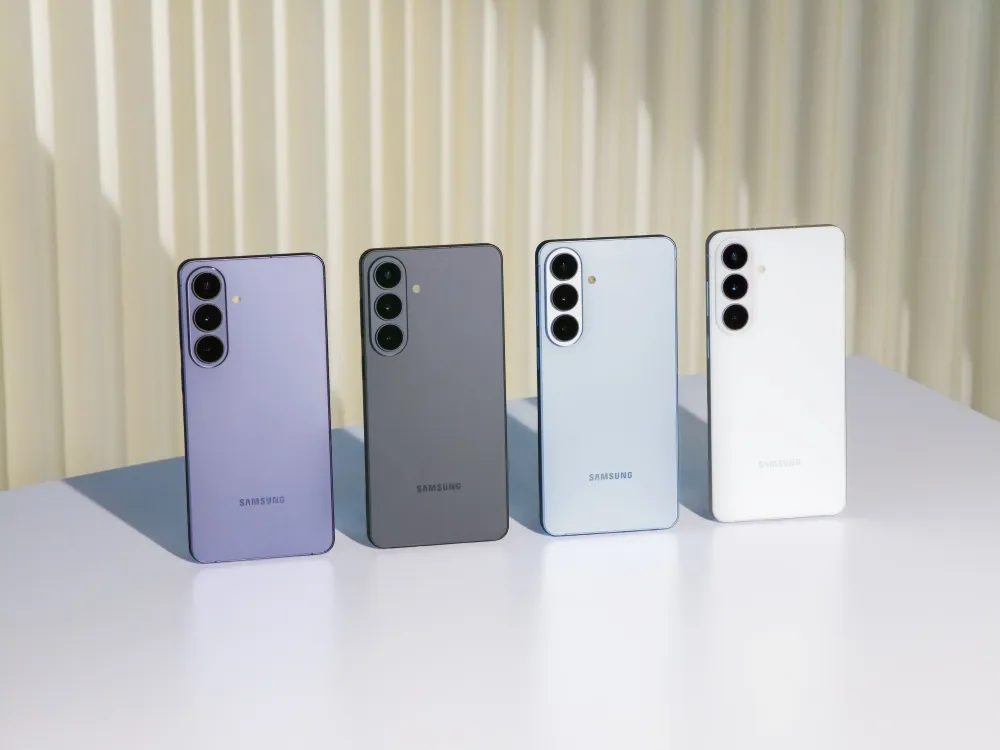
Samsung's Galaxy S26 Ultra Privacy Display update in One UI 9 Beta 4 has fixed one of the feature's most glaring real-world problems. According to Notebookcheck, citing leaker Ice Universe and a Samsung Community notice, the privacy mask now tracks only the floating picture-in-picture window rather than covering the entire screen. For S26 Ultra owners who use PiP regularly, that distinction changes everything.
The old behavior was hard to defend. Minimize a Privacy Display-enabled app to PiP, and the filter didn't shrink to match the window; it spread across the whole display. It spread across the whole display, Notebookcheck reports. The user lost visibility along with everyone else in the room. A feature designed to enable private viewing in public places was making the phone effectively unusable whenever PiP was involved.
One UI 9 Beta 4 Privacy Display: what the fix actually does
The updated behavior is straightforward. Enable Privacy Display for an app like YouTube, start a video, minimize it to PiP, and the privacy mask covers only that floating window, according to the Samsung Community notice cited in the report. Drag the window to a corner, and the mask follows. Samsung's Edge Panel and every other interface element stay at full brightness and remain fully accessible.
That's the scenario Privacy Display's design always implied: restricted side-angle visibility of sensitive content, while the owner continues using the rest of the phone without any dimming. The feature could already protect notification pop-ups without affecting the surrounding screen.
That zone-based logic, applied to a small discrete area, has been present since launch. The PiP fix extends the same principle to a larger, user-positioned window that moves around the display.
A few things remain unconfirmed. Current reporting uses YouTube as the test case, and it's not yet established how consistently the behavior holds across other PiP-capable apps. Samsung also hasn't announced a stable One UI 9 release date. Beta participants on the S26 Ultra can check for the update under Settings > Software update after enrolling in the beta through Samsung Members.
The update also mirrors improvements Samsung previewed at MWC earlier this year. At the time, Samsung indicated those changes would work with current-generation Privacy Display hardware, meaning no new panel is required, Notebookcheck notes.
Why the existing hardware could already do this
The hardware backstory adds context that the software update alone doesn't provide.
The S26 Ultra's panel contains two distinct pixel types: narrow pixels that project light directly forward, and wide pixels that scatter it at broader angles. Both are active during normal use.
When Privacy Display engages, the wide pixels are dimmed or switched off entirely, restricting side-angle visibility without affecting the straight-on view, as GSMArena's panel testing found.
Because pixel activation can be controlled at a granular level, applying the filter to one region of the screen while leaving the rest fully lit can be implemented through software on the existing panel architecture. Samsung Display confirmed this in a correction to Android Authority.
The company clarified that the partial-screen privacy modes demonstrated at MWC were not next-generation hardware but capabilities already present in the current Flex Magic Pixel technology. No new display required.
Some coverage around launch had framed more flexible partial-screen behavior as a future-hardware feature, implying the S26 Ultra was a first draft. Samsung's clarification inverted that framing entirely.
The panel was already capable; One UI 9 is the software layer exposing what was already there. For current owners, that distinction matters: Privacy Display's utility is still expanding on hardware they already paid for, and the PiP fix is the first concrete evidence of that happening.
The feature's design logic, and where it still falls short
Samsung has pitched Privacy Display as precision protection, not a blunt full-screen filter. Samsung's own materials describe a feature that activates selectively: for specific apps, during PIN or password entry on the lock screen or Secure Folder, when notification pop-ups appear, or on a schedule tied to location. GSMArena put it plainly earlier this year: the ability to protect specific areas rather than the whole display is what separates this from a stick-on privacy film.
The gaps are real, though. Password and PIN protection covers Samsung and Google system screens but does not extend to third-party app authentication screens, GSMArena confirmed.
That matters for anyone whose banking app or password manager uses its own lock screen—a common scenario and a meaningful hole in what the feature actually secures. Third-party app support is expected eventually, per GSMArena, but no timeline has been given.
Brightness is the other persistent tradeoff. Activating Privacy Display cuts maximum brightness roughly in half, since dimming the wide pixels removes a significant portion of total light output, GSMArena's testing found.
Around 800 nits with the feature active, outdoor use stays workable. Maximum Privacy mode is more aggressive still: blacks shift toward gray and contrast drops sharply, per GSMArena. Effective, but the viewing experience takes a real hit.
On display quality more broadly: some early hands-on reports noted subtle color shift when tilting the phone even with Privacy Display off, a side effect of how narrow pixels behave at oblique angles. GSMArena's controlled testing found that brightness, color accuracy, and viewing angles are virtually identical to the S25 Ultra when the feature is fully disabled.
Any penalty appears tied to the feature being active, not necessarily a permanent condition at rest, though the Android Authority hands-on noted that users with sharp eyes may notice subtle color shifts from the narrow pixel architecture even in normal use.
What comes next for Galaxy S26 Ultra PiP privacy display
For S26 Ultra owners already enrolled in the One UI 9 beta, the PiP fix is available now through Samsung Members. Samsung has not confirmed when the change will reach users outside the beta.
The more interesting question is how far Samsung takes the zone-based approach. The current configuration covers notification pop-ups and now PiP windows — two discrete, bounded areas.
Samsung Display confirmed earlier this year that the Flex Magic Pixel panel can support more flexible partial-screen privacy modes than are currently available, Android Authority reported. Broader third-party app support, coverage of non-system password screens, finer activation conditions: these remain gaps the hardware could theoretically accommodate.
The PiP fix also closes a credibility gap. Privacy Display's selective design implied a level of precision that the PiP bug actively undermined: a feature marketed around surgical control that blacked out the whole screen the moment a video went into a floating window.
That contradiction is now resolved, at least for the apps tested. Whether Samsung continues closing the remaining gaps at the same pace, through software updates on existing hardware, is the open question. The panel can handle it. The rest is up to One UI.










Comments
Be the first, drop a comment!