



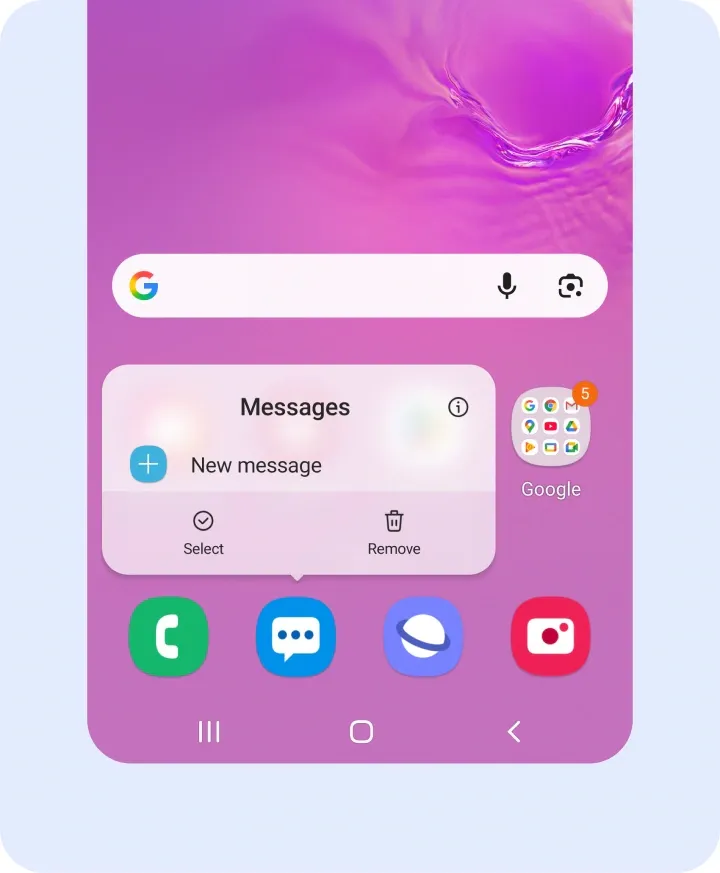
As of this week, a Samsung Messages alternative app called Messages by OzarksMade is undergoing closed testing through Google Play, with a public launch set for 14 days after its testing Google Group hits 12 members and a post-launch price of $0.99. Treat that as a snapshot, not a finished product. Betas shift, thresholds get hit or missed, and pricing plans change before launch.
The timing isn't a coincidence. Samsung retired Samsung Messages for U.S. Galaxy phones running Android 12 or later earlier this month, steering longtime Galaxy owners toward Google Messages as their default texting app.
Once that cutoff arrived, the old app was left doing little more than handling emergency contacts, the fate Samsung had already flagged months earlier. Owners of a Galaxy S26 or newer never had the choice to begin with. Those phones shipped without Samsung Messages installed and can't pull it from the Galaxy Store even if they wanted to.
That's the gap OzarksMade is stepping into. The app rebuilds the look of Samsung Messages convincingly, but its RCS features still run through Google Messages behind the scenes. It's a facelift on Google's infrastructure, not a Samsung-independent revival, and every section below tests what that trade-off means once you actually install it.
What Messages by OzarksMade is, and who made it
It's an unofficial, third-party Android app built to reproduce the discontinued Samsung Messages interface for U.S. Galaxy users. That distinction shapes every promise the app can and can't keep.
The design work is where it earns points. It's a Samsung-style messaging app down to the details: rounded cards, collapsible headers, chip filters, conversation categories, and a dedicated trash bin for recovered texts, the same visual and organizational language One UI users grew accustomed to. If you spent years navigating Samsung's chat categories and swipe filters, this will feel immediately familiar.
Weigh one thing before granting the app access to your texts: developer OzarksMade has only one other app published on Google Play, and this project currently sits in open beta, not a finished, publicly reviewed release. That's not automatically disqualifying, but it's worth reading the rest of this article before handing anything over.
What OzarksMade has built is a front-end skin layered on top of existing messaging systems, not a Samsung-engineered service resurrected from scratch. Keep that in mind as the modes get more specific.
How the two modes work
The OzarksMade Messages app splits into Standalone Mode and Companion Mode, and the difference between them determines what you're actually getting.
Standalone Mode
Handles SMS/MMS only
Runs without another app
Adds a Samsung-style interface only
Companion Mode
Handles SMS/MMS and RCS
Runs alongside Google Messages, which must remain installed and active in the background
Adds read receipts, typing indicators, group chats, high-quality media, and blue bubbles
Companion Mode needs a partner because Google restricts direct third-party access to its RCS backend, so it keeps Google Messages running silently in the background to actually push and pull RCS traffic. OzarksMade's app supplies the interface; Google Messages supplies the plumbing.
One piece of backend context is worth including. The developer states that Samsung Messages itself relied on Google's Jibe infrastructure for seven years, but that developer claim does not establish that every Samsung Messages implementation used the same backend or that Companion Mode has equivalent reliability. That's a developer claim relayed by tech outlets, not an independent audit, and it says nothing about whether OzarksMade matches Samsung's privacy practices or reliability standards.
There's a practical upside worth flagging, with the same caveat attached. Samsung Messages' old RCS setup was carrier-dependent, and it broke and fell back to plain SMS/MMS whenever a carrier's own servers faltered. Because Companion Mode routes through Google's own Jibe platform rather than individual carrier infrastructure, it may sidestep that specific failure mode, though this hasn't been independently tested.
That dependency is the app's real constraint: however convincing the interface looks, Companion Mode can't function without Google Messages quietly running underneath it. What nobody has confirmed yet is how cleanly the two apps share default duty on the same phone, which is exactly what the next section walks through.
Try it safely: a testing checklist for this Samsung Messages alternative with RCS
Before trusting this app with daily texting, work through it in order rather than diving straight into Companion Mode.
Confirm your phone qualifies. The shutdown only affects U.S. Galaxy phones on Android 12 or later. Devices still running Android 11 or older are unaffected and keep Samsung Messages working as it always has, so there's no urgent reason to install anything else (Android Police, 3 months ago).
Note your current default messaging app and message history before switching anything. If you need to revert, you'll want a clean starting point to compare against.
Install the beta from Google Play and join the testing Google Group if the app prompts you to; the number of testers continuously opted in through Google Play determines when the developer may apply for production access.
Start with Standalone Mode if the interface is the only draw. Only move to Companion Mode once you've decided RCS features are worth the added dependency on Google Messages.
Read the app's current Play Store listing and onboarding screens closely for any language about default-app status. The available reporting does not explain how Companion Mode works with Android's default-SMS requirement or whether Google Messages must remain the default app
Send a handful of test messages, both plain SMS and, if you're on Companion Mode, RCS texts to someone who also has RCS enabled. Watch whether Google Messages also surfaces a notification for the same text; that's the clearest sign of the two apps stepping on each other.
Know your way back. If either mode causes problems, Android's own settings let you set Google Messages back as your default SMS/RCS app at any time, the same app Samsung is already steering displaced users toward. That path doesn't depend on anything OzarksMade's app does or doesn't do correctly.
What this app can and can't restore
Everything below applies only to the Android 12-and-later population the shutdown actually affects; devices still on Android 11 or older keep Samsung Messages working without any of this. For everyone else, here's what this Samsung Messages replacement plainly cannot bring back:
Any built-in Samsung ecosystem integration. This is an independent developer's project, not a Samsung release, and it carries none of Samsung's own account-level backing (Android Headlines, 1 day ago).
Full independence from Google. Even in Companion Mode, Google Messages has to stay installed and running for RCS to function at all. There's no version of this app that removes Google from the equation.
Wearable sync tied to older hardware. Tizen-based Galaxy Watches released before the Watch 4 can't run Google Messages at all. Since Companion Mode depends on Google Messages running in the background, installing OzarksMade's app on your phone doesn't change what those older watches can sync.
There's also a permissions question worth weighing independent of how well the app performs. Installing this means handing SMS/MMS access to a small, largely unproven developer, which is a reasonable point of hesitation on its own.
One more caveat: closely mirroring Samsung's interface, icons, and branding raises a plausible, unconfirmed risk of intellectual-property scrutiny down the line. That's a risk baked into how the app was built, not a report that Samsung has acted on it.
Conclusion
Standalone Mode is the lower-risk pick if the interface alone is the draw. It does not add the Companion Mode dependency on Google Messages, although it still requires access to SMS/MMS data. Companion Mode is worth trying only after working through the checklist above, since the app's own current listing, not this reporting, is where the default-status question actually gets answered.
The real test for this unofficial Samsung Messages app isn't how well it mimics One UI on day one. Installing OzarksMade's app would not restore full conversation-history support on those watches, although Samsung says they can still read and send individual text messages.



Comments
Be the first, drop a comment!