





![Galaxy Watch 8 40mm Bluetooth Smartwatch, Cushion Design, Quick Button, Sleep Coaching, Now Bar, Running Coach, Energy Score, Graphite [US Version, Amazon Exclusive 2Yr Warranty]](https://m.media-amazon.com/images/I/61IpkAmVjwL._AC_UY218_.jpg)
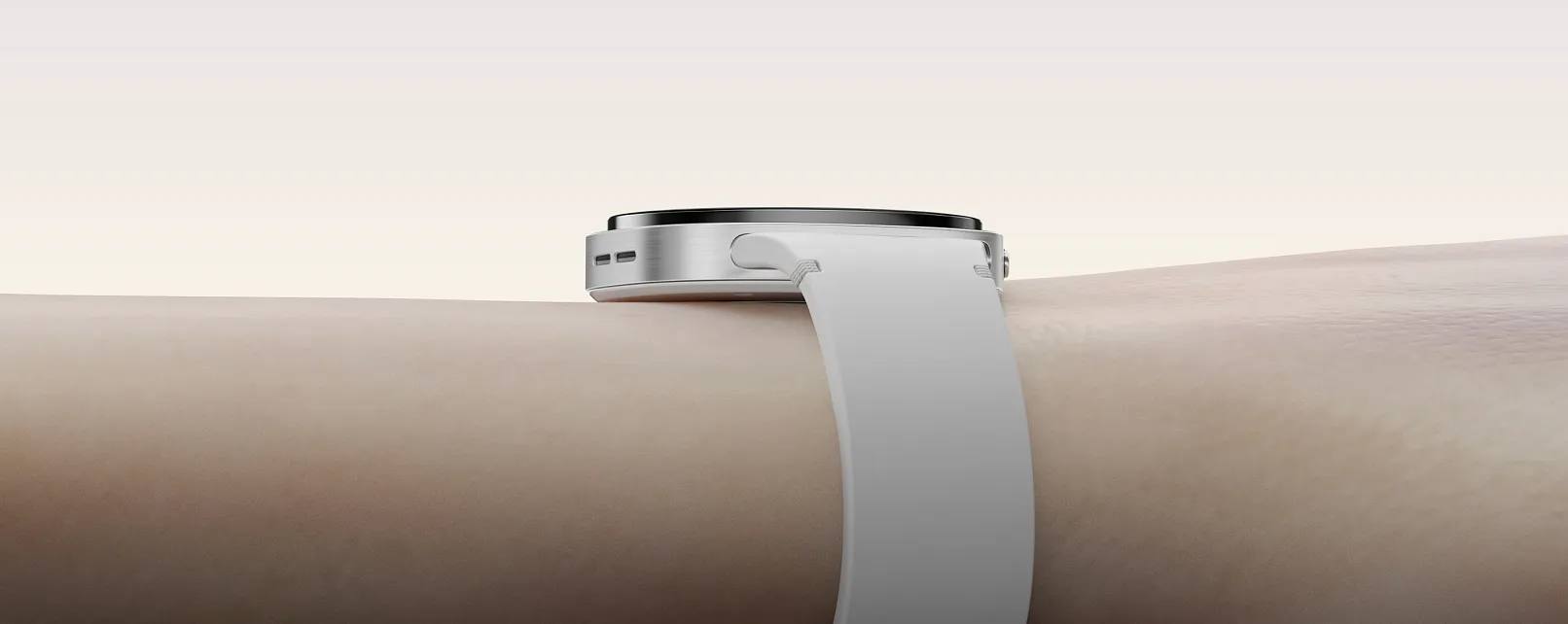
Your Galaxy Watch can estimate body fat, skeletal muscle, and other body composition metrics in seconds. That sounds useful, especially if you're trying to lose fat or track changes in your fitness, but the number on your wrist isn't the same thing as a clinical measurement.
Plenty of Galaxy Watch owners apparently never get far enough to find that out. In Android Authority's Sept. 10, 2026, poll results, just under 35% of more than 2,500 respondents said they used Body composition regularly. Another 20.5% used it only when they remembered, 14% had tried it once or twice, and 18.3% didn't know the feature existed. Only about 6% said it was too awkward or unreliable to use regularly.
The feature has been around since Samsung introduced it with the Galaxy Watch4 in 2021, and Samsung's current compatibility guidance says Body composition remains supported on the Galaxy Watch4 series and later Galaxy Watch models.
The more interesting question is not whether the feature exists, but how much confidence you should place in its readings. Independent research suggests Galaxy Watch body fat estimates can be useful for tracking changes over time, while skeletal muscle readings deserve more caution.
Why Galaxy Watch body composition is easy to overlook
Unlike heart-rate or activity tracking, Body composition doesn't quietly collect measurements in the background. You have to open Samsung Health, start a reading, place your fingers on the watch buttons, and hold still while the measurement runs.
That extra step helps explain why it can remain unused even by people who wear a Galaxy Watch every day.
The feature itself uses bioelectrical impedance analysis, or BIA, the same general technology found in many smart scales and dedicated body composition analyzers.
The watch sends a very small electrical current through the body and measures resistance to that current. Because fat, muscle, and water have different electrical properties, Samsung combines that resistance data with information such as height and weight to estimate body composition.
The results screen includes your entered weight alongside calculated figures for skeletal muscle, fat mass, body fat percentage, BMI, body water, and basal metabolic rate.
Those numbers are estimates. The watch is not directly scanning or measuring how much fat or muscle tissue is in your body.
According to Samsung's Galaxy Watch body composition instructions, its BIA system has shown a 98% correlation with DXA scans, which are commonly used as a reference method for body composition.
That sounds more definitive than it is. A 98% correlation does not mean an individual Galaxy Watch reading is 98% accurate. Two methods can track closely overall while still producing noticeably different numbers for a particular person.
How to get more consistent readings
BIA is sensitive to changes in body water, so the conditions around a measurement can make a difference.
Samsung recommends taking readings under similar conditions each time, preferably in the morning before eating and after using the bathroom. Exercise, showering, sauna use, and other activities that affect hydration or body temperature can shift the result.
Metal accessories can also interfere with the measurement and should be removed beforehand.
To take a reading, open Samsung Health on the watch, choose Body composition, tap Measure, enter the requested information, and follow the on-screen instructions for finger placement. Keep your arms away from your torso and stay still until the measurement finishes.
There are safety limits as well. Samsung says Body composition is intended for general wellness and fitness, not diagnosis or treatment. It should not be used by people with pacemakers or other implanted medical devices or during pregnancy, and Samsung warns that results may be inaccurate for people under 20.
Keeping conditions consistent will not make the watch as precise as a clinical scanner, but it can make changes from one reading to the next easier to interpret.
How accurate is Galaxy Watch body composition?
A peer-reviewed 2025 study gives a much clearer answer than the marketing language alone.
Researchers tested 108 physically active adults using a Galaxy Watch5, an InBody 770 clinical BIA analyzer, and dual-energy X-ray absorptiometry, or DXA.
For body fat percentage, the Galaxy Watch performed relatively well. It showed a 0.93 correlation with DXA and a concordance correlation coefficient of 0.91, which measures how closely the two methods actually agreed. Its mean absolute percentage error was 14.3%.
Among female participants, that error was lower at 9.19%. The researchers also found that the watch's estimates became less reliable at higher body fat percentages, according to the peer-reviewed Galaxy Watch5 study.
Skeletal muscle was less convincing.
The Galaxy Watch still showed a strong correlation with DXA for skeletal muscle percentage, at 0.92, but the level of agreement dropped sharply. The concordance correlation coefficient was only 0.45, and mean absolute percentage error reached 20.3%.
That is an important distinction. A measurement method can move in the same general direction as DXA without producing the same number.
For body fat, that means the watch appears useful for watching a trend develop over time, especially if you take measurements under similar conditions. It is less useful as proof that your body fat is exactly 23.7% rather than 22% or 25%.
Skeletal muscle readings deserve even more skepticism. They may still be helpful for tracking broad movement, but the research suggests they should not be treated as interchangeable with a clinical measurement.
A sensible way to use the feature is to:
Compare readings taken under similar conditions.
Focus on changes across several weeks rather than day-to-day fluctuations.
Treat body fat and skeletal muscle figures as estimates, not medical results.
Use a clinical assessment if an exact number matters for a health or treatment decision.
Samsung is still testing where the feature can go
Samsung is also exploring whether smartwatch body composition data could become useful beyond ordinary fitness tracking.
On May 28, 2026, Samsung and Massachusetts General Hospital announced a study involving adults beginning GLP-1 receptor agonist therapy. Researchers are using the Galaxy Watch8 to examine whether body composition and activity data can help monitor and potentially manage muscle loss during treatment.
The study does not establish the Galaxy Watch as a medical monitoring tool for people taking GLP-1 medications. That is what the researchers are still testing.
What it does show is why wrist-based body composition remains interesting. A laboratory scan gives a precise snapshot, while a smartwatch can collect repeated measurements with very little effort.
The Galaxy Watch is best for watching the trend
Galaxy Watch Body composition can tell you something useful, as long as you read the numbers for what they are.
Independent testing suggests body fat estimates can track reasonably well with DXA, though individual error remains significant. Skeletal muscle estimates are less dependable and should be interpreted more cautiously.
If you use the feature regularly, measure under similar conditions and watch the direction of change over time rather than chasing every percentage point. A small jump from one day to the next may reflect hydration or measurement conditions more than an actual change in fat or muscle.
That still makes Body composition a useful tool to have on your wrist. It can show you where things appear to be heading — just not with the precision of a clinical scan.






Comments
Be the first, drop a comment!