



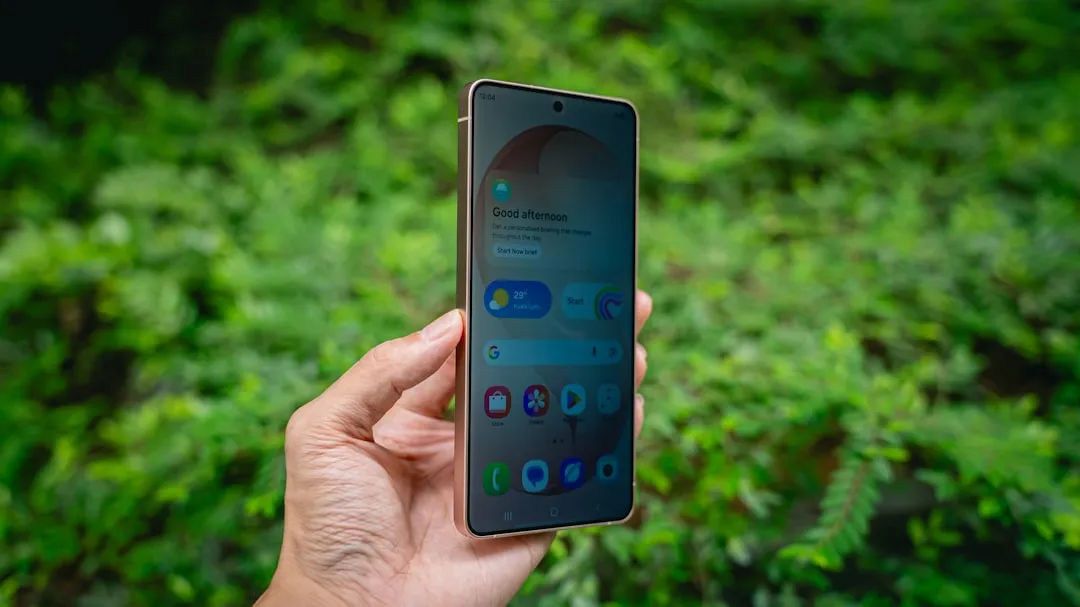
The Galaxy S26 has arrived, and while everyone's talking about the latest cameras and performance upgrades, Samsung has quietly introduced two AI-powered notification features that might just change how you interact with your phone daily. These aren't flashy gimmicks—they're practical tools that address one of the most persistent problems in our smartphone-saturated world: notification overload.
Samsung has rolled out these capabilities as part of One UI 8.5, and according to Time.News, these notification enhancements are designed to fundamentally change your daily phone interactions. The features support an impressive range of languages including English, Spanish, French, German, and many others, while working across popular messaging platforms like WhatsApp, Google Messages, and Telegram. Most importantly, Samsung emphasizes that all processing happens on-device, ensuring your personal data never leaves your phone.
How notification summaries actually work in practice
The first standout feature transforms how you consume information from your notification shade. Instead of displaying every individual message from busy group chats or lengthy email threads, the AI condenses information into concise, readable summaries directly within your notification panel. This means you can quickly understand what's happening without opening each app individually.
What makes this particularly clever is how seamlessly it operates. According to SamMobile's testing, the feature works automatically based on what Galaxy AI determines needs summarizing, without requiring manual app selection. The summaries only appear when notifications are collapsed, and expanding them reveals the full original content. This means you get the convenience of quick overviews while maintaining access to complete details when needed.
In practice, this creates an almost telepathic experience. Users report reading summarized notifications without realizing they were summaries, describing them as simply "normal notifications that were easier to read." This speaks to a broader design philosophy—the most effective AI features are those that enhance your experience without making themselves the star of the show.
PRO TIP: The AI is smart enough to focus on longer conversations where summaries provide the most value. Short message exchanges typically remain unchanged, while complex group discussions get the condensed treatment.
However, there are some limitations to be aware of. The feature can take over a week to start working consistently after activation, and it's disabled during low-power modes or when battery saver is active. Samsung also acknowledges that summaries may occasionally be inaccurate, though real-world testing suggests they're generally reliable for distilling complex conversations.
Smart prioritization that learns your habits
The second feature tackles notification chaos from a different angle. Rather than blocking notifications, this AI-powered prioritization reorders alerts based on your usage patterns. The system learns which apps you open first, which notifications you interact with most frequently, and uses that behavioral data to intelligently sort your alerts.
Think of it this way: if you consistently check family messages before work emails, or always respond to certain group chats first, the AI will surface those notifications at the top of your panel. Samsung Members explains that the system analyzes notification importance based on both user information and content, ensuring the most relevant alerts appear first.
What's particularly noteworthy is how this system evolves beyond simple frequency metrics. The AI considers contextual factors like time of day, your location patterns, and even content analysis to make these determinations. Morning priority patterns might differ significantly from evening ones, reflecting how our digital attention naturally shifts throughout the day.
The privacy-conscious approach continues here, with all analysis happening locally on your device. This contrasts sharply with some competitors who rely on cloud-based processing, potentially raising privacy concerns for users who prefer keeping their data close to home.
Setting up these hidden features
Getting these AI notification tools running is refreshingly straightforward. Navigate to Settings, then Notifications, and look for "Notification highlights" (or "Notification Intelligence" depending on your region). Within this menu, you'll find toggles for both prioritization and summarization features.
Remember that Galaxy AI must be enabled on your device for these features to function. Android Authority notes that the feature uses notification history from the past 24 hours to generate summaries, focusing on longer conversations where summaries provide the most value. When a summary is active, you'll notice a three-line icon with an arrow next to the app's notification, indicating condensed content is available.
Here's what you need to know about the learning curve: Be patient during the initial setup period. The AI needs time to learn your patterns, potentially taking several days before you see consistent results. This learning period is crucial for the system to understand your preferences and deliver truly personalized prioritization.
During this initial phase, you might notice the features seem inconsistent or don't appear to be working. This is normal—the AI is essentially studying your behavior to build an accurate model of your notification preferences.
What this means for your daily phone experience
These notification features represent something more significant than simple convenience upgrades. Samsung has positioned them as part of a broader shift toward "AI-first" phones, where artificial intelligence works proactively in the background rather than requiring constant user interaction.
The real-world impact becomes apparent once the system has learned your habits. Instead of manually sorting through dozens of alerts, you'll find critical messages naturally rising to the top while lengthy group conversations are distilled into digestible summaries. This isn't about creating new ways to interact with your phone—it's about making existing interactions more efficient and meaningful.
Consider the psychological benefits: reduced decision fatigue when checking notifications, less time spent parsing irrelevant information, and fewer instances of missing important messages buried in notification noise. These improvements compound throughout the day, creating a noticeably calmer digital experience.
However, some limitations remain. Currently, there's no manual toggle to force summaries for specific apps, and the automatic nature means users can't fine-tune which conversations get condensed. Samsung will likely address these concerns in future One UI updates, potentially adding more granular control options.
The bigger picture for Galaxy AI's future
Samsung expects to release additional One UI 8.5 updates throughout the year, addressing user feedback and expanding Galaxy AI capabilities. These notification features offer a glimpse into a future where AI assistance feels natural rather than intrusive, working quietly to improve daily interactions without demanding attention.
The competitive landscape adds another layer of significance to Samsung's approach. While other manufacturers experiment with more obvious AI features—voice assistants, image generation, or complex automation workflows—Samsung has focused on invisible optimizations that solve fundamental usability problems. This strategy positions Galaxy AI as utility-first rather than novelty-focused.
For Galaxy S26 users, these hidden gems represent some of the most practical AI implementations we've seen. They solve real problems—notification overload and information chaos—without the complexity or privacy concerns that often accompany AI features. As Samsung continues refining these tools, they may well become the standard for how smartphones handle our increasingly complex digital communications.
Bottom line: these aren't revolutionary features, but they're thoughtful ones that address genuine pain points in our daily phone usage. The fact that they work so transparently suggests Samsung has found the right balance between helpful automation and user control—exactly the kind of AI experience that enhances rather than replaces human decision-making.



Comments
Be the first, drop a comment!