





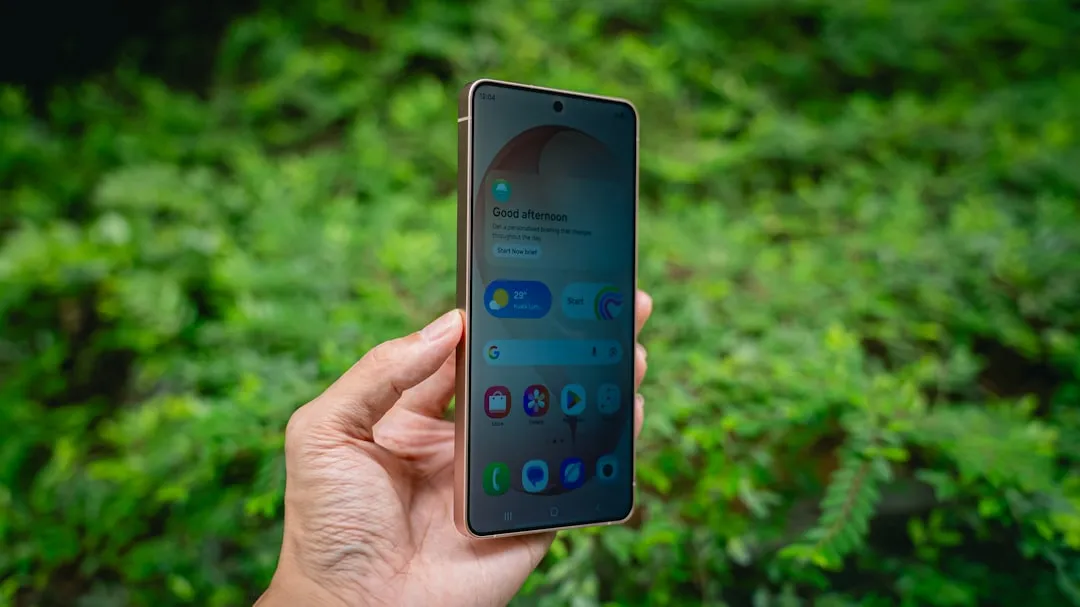
Galaxy S26 Ultra Display Issues: What You Need to Know
The smartphone display landscape continues evolving rapidly, and with each new flagship release, users encounter both innovations and challenges. While specific details about the Galaxy S26 Ultra remain limited, understanding common display issues and solutions can help you make informed decisions and optimize your viewing experience.
Understanding Modern Display Technology
Let's break it down: today's flagship smartphones primarily use OLED (Organic Light-Emitting Diode) technology, which offers incredible contrast ratios and vibrant colors. However, these displays aren't without their quirks.
Key Display Technologies:
- OLED panels: Self-illuminating pixels that can turn completely off for true blacks
- PWM (Pulse Width Modulation) dimming: A method used to control brightness by rapidly flickering the display
- High refresh rates: Smoother scrolling and animations, typically 120Hz or higher
- HDR support: Enhanced color and brightness ranges for media content
The bottom line: while these technologies create stunning visuals, they can also introduce sensitivity issues for some users.
Common Display-Related Symptoms
Here's what you need to know about display sensitivity issues that affect various users across different smartphone models:
Physical Symptoms:
- Eye strain during extended use
- Headaches after prolonged viewing
- Nausea or dizziness, particularly with high refresh rates
- Visual fatigue in low-light conditions
When Issues Typically Occur:
- During low brightness settings (where PWM dimming is most active)
- When viewing content with rapid motion or flashing elements
- Extended reading or text-heavy applications
- Transitioning between different lighting environments
PRO TIP: If you're experiencing any of these symptoms, you're not alone. Display sensitivity affects a significant portion of smartphone users, regardless of the specific model.
The Science Behind Display Sensitivity
PWM Dimming Explained: Most OLED displays use PWM dimming to control brightness, especially at lower levels. Instead of reducing the actual light output, the display rapidly turns on and off—sometimes hundreds of times per second. While this flickering isn't consciously visible to most people, it can cause discomfort for sensitive individuals.
High Refresh Rate Considerations: While 120Hz displays provide smoother animations, the increased screen updates can contribute to visual fatigue for some users. The constant motion processing requires more visual attention from your eyes and brain.
Blue Light Impact: OLED displays can emit higher levels of blue light, which may contribute to eye strain and sleep disruption, particularly during evening use.
Practical Solutions and Workarounds
Don't let display sensitivity stop you from enjoying your device. Here are proven strategies that work across various smartphone models:
Immediate Relief Settings
Brightness Adjustments:
- Keep brightness above 25% when possible to minimize PWM effects
- Use adaptive brightness to maintain consistent lighting
- Consider slightly higher brightness in dark environments rather than very dim settings
Display Mode Tweaks:
- Switch to "Natural" or "Adaptive" color modes instead of "Vivid"
- Reduce color saturation if available in display settings
- Enable dark mode to reduce overall screen brightness needs
Motion and Animation:
- Reduce animation scales in developer options (0.5x or off)
- Consider lowering refresh rate to 60Hz if the option exists
- Disable unnecessary visual effects and transitions
Advanced Accessibility Options
Text and Visibility:
- Increase text size and contrast for easier reading
- Enable high contrast mode if available
- Use larger touch targets to reduce precision strain
Blue Light Management:
- Activate blue light filters, especially in evening hours
- Schedule automatic color temperature adjustments
- Consider third-party blue light filter apps for additional control
Reading-Specific Solutions:
- Use reader modes in browsers and apps
- Switch to light backgrounds for text-heavy content
- Take regular breaks using the 20-20-20 rule (every 20 minutes, look at something 20 feet away for 20 seconds)
When to Consider Alternative Solutions
External Accessories:
- Blue light filtering screen protectors
- Anti-glare screen protectors to reduce reflections
- External lighting to reduce screen-to-environment contrast
App-Based Solutions:
- Third-party screen dimming apps that use overlays instead of PWM
- Specialized reading apps with customizable display settings
- Eye care reminder apps to encourage regular breaks
Hardware Considerations: If sensitivity issues persist despite software adjustments, consider that individual sensitivity varies significantly. Some users find LCD-based devices more comfortable, though flagship options are increasingly limited.
Industry Trends and Future Improvements
The smartphone industry continues addressing display sensitivity concerns:
Emerging Technologies:
- DC dimming implementation (reducing PWM reliance)
- Improved blue light filtering at the hardware level
- More granular brightness and color controls
- Enhanced accessibility features in newer Android versions
What This Means for Users: Manufacturers are increasingly aware of display sensitivity issues and incorporating solutions into their devices. Future flagship phones will likely offer more comprehensive comfort-focused display options.
Practical Next Steps
Before Experiencing Issues:
- Familiarize yourself with your device's accessibility settings
- Experiment with different display modes and brightness levels
- Set up blue light filtering schedules
- Configure comfortable text sizes and contrast levels
If You're Currently Experiencing Discomfort:
- Start with brightness adjustments—increase to 30-40% minimum
- Enable dark mode and reduce color saturation
- Take more frequent breaks from screen time
- Consider professional eye care consultation if symptoms persist
PRO TIP: Keep a note of which settings work best for you. Display comfort is highly individual, and what works for others might not be your optimal solution.
The Bottom Line
While modern smartphone displays offer incredible visual experiences, they can present challenges for users sensitive to PWM dimming, blue light, or high refresh rates. The key is understanding that these issues aren't unique to any single device model—they're inherent to current display technologies.
The good news? Most sensitivity issues can be managed effectively through proper settings adjustments, accessibility features, and mindful usage habits. As the industry continues evolving, we're seeing more manufacturers prioritize display comfort alongside visual performance.
Remember: if you're experiencing persistent discomfort, don't hesitate to explore different settings combinations or consult with eye care professionals. Your comfort and health should never be compromised for the sake of having the latest technology.
Key Takeaway: Display sensitivity is manageable with the right approach. Focus on finding settings that work for your individual needs rather than accepting discomfort as inevitable.



Comments
Be the first, drop a comment!