




Samsung Wallet Trips Feature: Travel Itinerary Tool Explained
Samsung this week launched Trips, a new feature in Samsung Wallet that pulls flights, hotel reservations, car rentals, bus and train tickets, event passes, and excursion bookings into a single chronological timeline. The rollout covers Korea, the United States, and the United Kingdom, Samsung confirmed this week. The feature is live now on compatible Samsung Galaxy phones running the required Samsung Wallet version, with available via a software update on supported Galaxy phones..
The catch is a word buried in Samsung's own announcement: "eligible." Trips pulls in eligible travel items, but Samsung's launch materials do not name which airlines, hotel platforms, or booking services actually qualify for automatic import. That gap is the central question for anyone thinking about relying on Trips as a travel tool.
Woncheol Chai, Samsung's EVP and Head of the Digital Wallet Team, framed the problem Trips is meant to solve: "Travel plans are often scattered across confirmations, apps and messages, and that creates friction at the exact moments people need clarity," according to the Samsung Global Newsroom. The fix, he said, is giving Galaxy users "a single place to keep their trip details organized and stay one step ahead as their plans unfold."
Samsung is turning Wallet from a place to store tickets into something closer to a trip dashboard. Trips is the clearest expression of that repositioning, which the company describes as expanding Wallet "beyond payments," per its launch announcement.
What the Samsung Wallet itinerary feature does
When users add eligible items to Samsung Wallet, Trips groups them by time and location into one linear view. A connecting flight, hotel check-in, and booked tour all appear on the same timeline rather than scattered across separate apps and inboxes, according to Samsung.
The supported categories are broad on paper: flights, hotel reservations, car rentals, bus and train tickets, theme park passes, sporting event tickets, and excursions, Samsung listed. The result is a timeline that cuts the need to switch between apps mid-journey, Tech Advisor noted.
Trips also supports manual item entry and memo attachments for any saved entry, per Samsung's launch materials. That fallback is sensible. Fully automated travel aggregation has a long track record of breaking down on edge cases think regional bus operators, boutique hotels, or any provider that sends a PDF confirmation rather than a structured booking data feed. The manual option means Trips can accommodate those gaps, but it also means the feature may require more active upkeep than the launch messaging implies.
The real question is how often automatic import works outside Samsung's named partners. Samsung has published a category list but not a partner list. A traveler who books an American Airlines flight through a major OTA, reserves a hotel via a large chain's app, and rents a car from a national agency might find the timeline fills in automatically. Someone whose itinerary runs through smaller services may end up building the timeline by hand. There's no way to know without testing your specific bookings against the feature.
For Galaxy users who already store boarding passes in Wallet and book through major carriers, Trips likely delivers its promise close to launch. For everyone else, the useful thing to do is treat automatic import as a bonus rather than a given, and verify manually that each booking gets picked up.
How Trips fits into Samsung's existing travel stack
Trips doesn't arrive in isolation. Samsung has been adding travel functionality to Wallet piece by piece, and Trips is the organizational layer meant to surface all of it in one view.
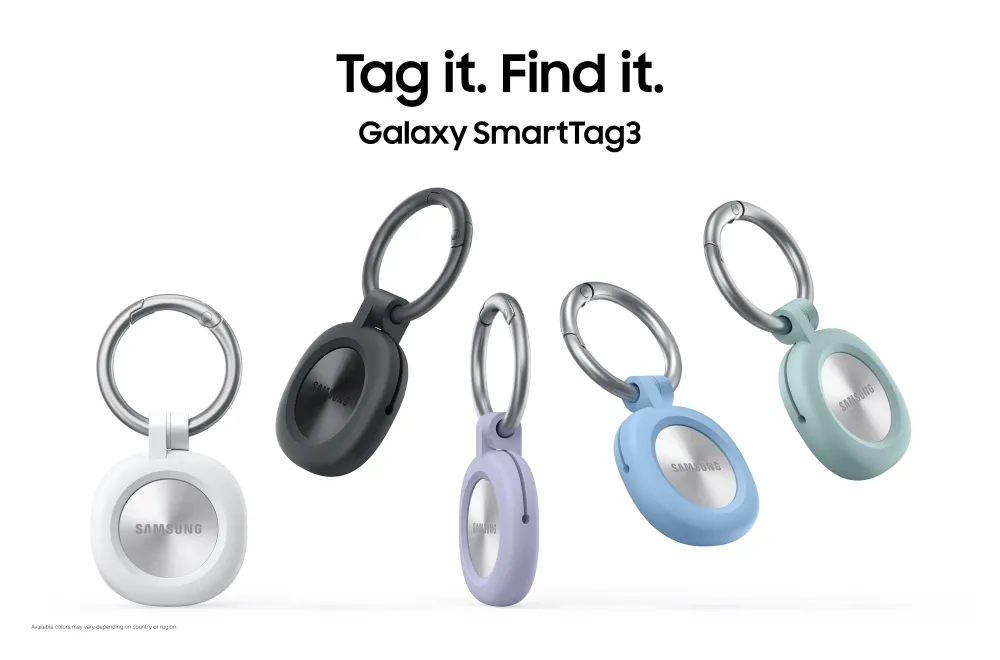
The most recent addition came in early March: live airline-fed boarding pass updates for American Airlines, delivering gate, terminal, seat, and flight time changes directly to the pass in Wallet, Samsung announced. That same update added Calendar sync for flight data and, on devices running One UI 8.0 or later, proactive travel information surfaced in Now Brief. It also tied boarding passes to Galaxy SmartTag luggage tracking, letting travelers monitor checked bags alongside flight details within Wallet, Samsung confirmed.
Before that, in June 2024, Samsung added Air France boarding pass support and integration with the Île-de-France Mobilités transit network in Paris, covering buses, metros, and regional rail lines across the Île-de-France region, Samsung Global Newsroom reported. That was Samsung making Wallet useful for a specific travel context well beyond payments.
Taken together, boarding passes with live airline data, Calendar sync, Now Brief integration, SmartTag luggage tracking, and transit access in France form a coherent stack. Trips is the feature that is supposed to organize all of it into one timeline. Whether the system-level coherence holds in practice depends on the integrations Samsung has built versus the ones it hasn't described.
That distinction matters more than it might sound. Each of those earlier features came with a named partner: American Airlines, Air France, Île-de-France Mobilités. Trips launched without an equivalent partner disclosure. Samsung may have a broad network of booking integrations already in place, or it may be relying primarily on whatever structured data exists in Wallet from previously added passes and tickets. The launch materials don't say, and that's a meaningful gap for a feature whose value is directly proportional to how much of your itinerary it can pull in automatically.
Availability, version requirements, and what Samsung hasn't said about privacy
The version requirements vary by market. Trips needs Wallet version 5.9.32 or higher in Korea, 6.4.97 or higher in the U.S., and 6.4.98 or higher in the U.K., per Samsung's launch footnotes. If Trips isn't showing up yet, checking for a pending Wallet app update is the right first step.
The feature works on any compatible Galaxy phone available on compatible Galaxy phones meeting Samsung's software requirements, Tech Advisor confirmed. That means the rollout reaches the existing Galaxy install base rather than functioning as a selling point for new devices. For Samsung, that's a smart way to demonstrate Wallet's value across a wider audience.
On security, itinerary data is protected by Samsung Knox, which uses encryption and biometric authentication, Tech Advisor reported. Knox is a credible hardware-level baseline. What Samsung hasn't addressed is whether trip data is processed on-device or in the cloud, how long itinerary records are retained, or whether any metadata is shared with third parties. For a feature that aggregates precisely where you are going and when, those are reasonable things to want answered before treating Trips as a primary tool.
The absence of that detail in the launch announcement isn't necessarily alarming Samsung Knox has an established track record in enterprise and consumer security contexts. But privacy disclosures tend to arrive after launch, if they arrive at all, and users who are sensitive about location and schedule data being stored or transmitted should look for Samsung to clarify those points before fully committing to the feature.
What Samsung still hasn't said
The unresolved question is how well the Samsung Wallet travel timeline works for any given user's actual bookings, not just the categories on the list.
Samsung has named the types of travel items Trips can accommodate. It hasn't named the booking sources it can automatically recognize. That's a significant omission. The categories tell you what Trips is designed to handle. The partner integrations determine how much of it happens automatically versus how much requires manual entry. One is a feature description. The other is a measure of the feature's practical usefulness.
Samsung hasn't said where those limits are. At launch, Samsung has not published sufficient compatibility details, so real-world testing will likely determine which bookings import automatically. That's not a dealbreaker manual entry works, and the memo support is a useful addition for notes that don't fit neatly into any booking category. But it does mean the gap between Trips as advertised and Trips as experienced could vary considerably depending on how you travel and where you book.
The next real test for Trips isn't the launch week. It's whether, a few months from now, users are reporting that their timelines fill in reliably across a range of booking sources or whether they're mostly building itineraries by hand and using the app as a slightly nicer-looking notes interface. Samsung's ambition for Wallet as a travel hub is clear. Whether the integrations are deep enough to deliver on it is still an open question.









Comments
Be the first, drop a comment!