



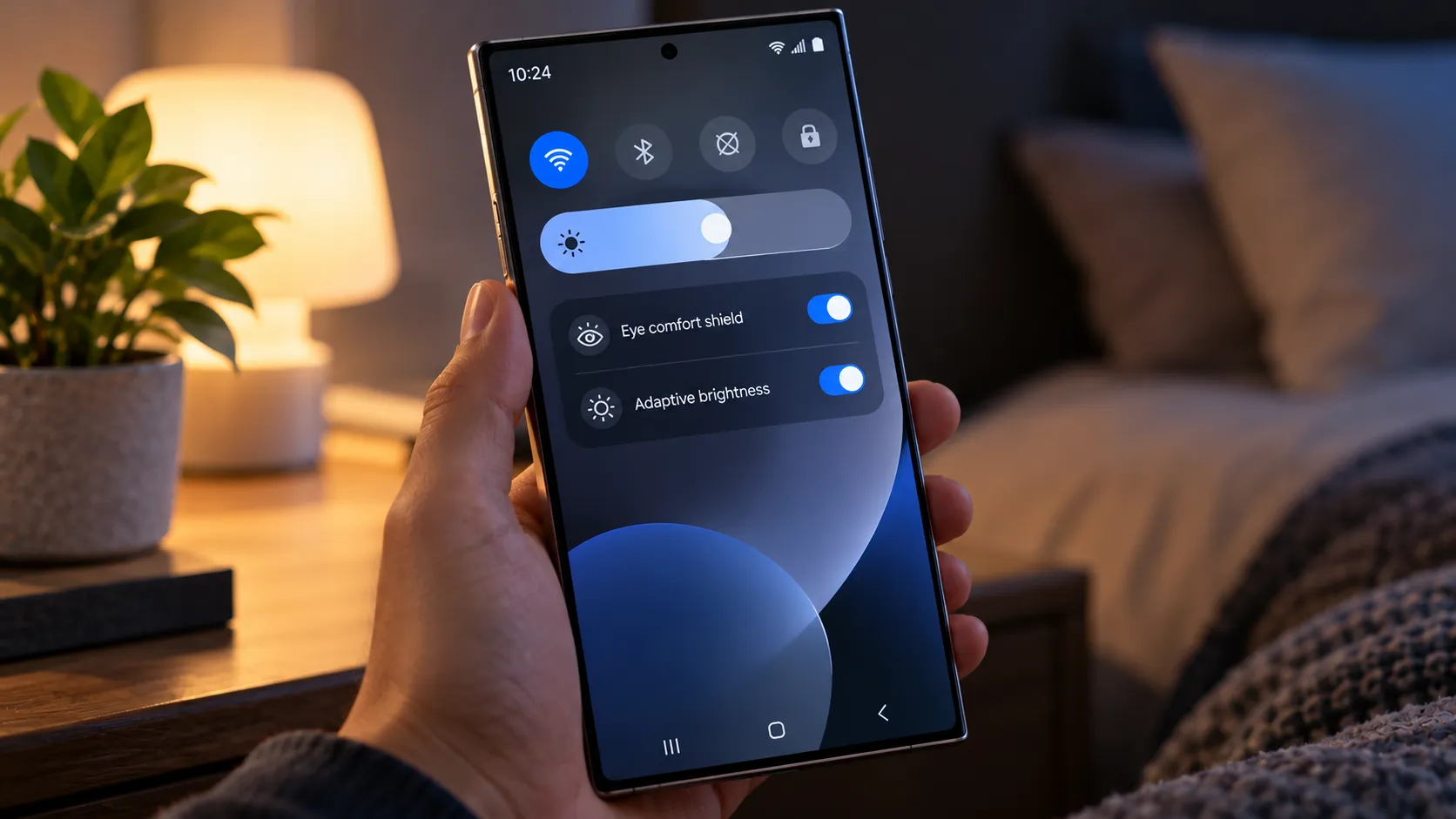
Samsung representatives confirmed earlier this year that the Galaxy S26 series uses 480Hz PWM dimming, with no higher-frequency mode, no DC-like dimming option, and no dedicated flicker-reduction setting, according to Android Authority.
That confirmed behavior is the baseline for discussion of Galaxy S27 Ultra PWM dimming. A new rumor now claims Samsung could change course with the Galaxy S27 Pro and S27 Ultra by adding DC dimming, but Samsung hasn't confirmed it, and no retail display has been independently measured.
The current evidence therefore sits in two different buckets: the Galaxy S26 series has documented 480Hz behavior, while the Galaxy S27 claim comes from a single tipster and remains unverified.
What Samsung confirmed about the Galaxy S26 Ultra's display
Samsung told Android Authority that the Galaxy S26 series does not include a higher-frequency PWM option, DC-like dimming, or a software setting designed specifically to reduce flicker.
The company also said the underlying dimming behavior remains unchanged from its previous flagships and that the S26 Ultra's Privacy Display does not change the way brightness is controlled.
Android Authority subsequently described the Galaxy S26 series as operating at about 480Hz PWM based on those company discussions.
That puts Samsung well below some competing Android phones on frequency alone.
The OnePlus 13R officially supports 2,160Hz PWM dimming. HONOR lists 3,840Hz ultra-high-frequency PWM dimming for the HONOR X9d.
Google takes a more modest approach on the Pixel 10 Pro and Pixel 10 Pro XL. Its "Adjust brightness for sensitive eyes" accessibility option raises the display's PWM frequency from 240Hz to 480Hz under supported conditions.
Samsung provides no equivalent toggle on the S26 series.
Why PWM frequency matters, but doesn't tell the whole story
PWM, or pulse-width modulation, controls perceived OLED brightness by modulating the light output rapidly over time. DC dimming instead changes current to control brightness without relying on the same strong on-off modulation pattern.
Lower brightness can make PWM behavior more relevant because the display may spend less of each modulation cycle emitting light or otherwise alter the waveform used to reach the lower luminance.
For people sensitive to flicker, that can matter.
Research and technical guidance have associated display or lighting flicker with symptoms including eyestrain and headaches in susceptible people, but frequency alone isn't enough to predict whether a particular screen will cause discomfort.
IEEE 1789, a recommended practice developed for LED lighting rather than smartphones specifically, identifies both frequency and modulation depth as important parameters. Duty cycle and waveform can matter too.
Its guidance for 100% modulation places the low-risk frequency above roughly 1,250Hz, but that should not be treated as a clinical cutoff for OLED phones. Smartphone displays use different drive systems, and individual sensitivity varies substantially.
That makes comparisons such as 480Hz versus 2,160Hz useful, but incomplete without measurements showing how deeply the panel modulates at different brightness levels.
The Galaxy S27 Ultra DC dimming rumor
There is now one specific report about Samsung changing its approach for the next generation.
A tipster known as Walle claimed in October that the Galaxy S27 Pro and Galaxy S27 Ultra will support DC dimming. The same claim says Samsung has been working with outside safety organizations on measures intended to reduce eye discomfort.
GSMArena and Android Central subsequently reported the claim.
None of it has been confirmed by Samsung.
There is also no supporting display specification, panel supplier documentation, firmware evidence, certification, or independent measurement establishing how the rumored system would work.
"DC dimming" itself leaves several technical questions unanswered.
Some OLED phones use DC-like dimming only above a particular brightness threshold, then switch to high-frequency PWM at lower levels. Others use hybrid approaches rather than pure DC control across the entire brightness range.
Xiaomi's current 15 Ultra is one example. Xiaomi officially documents DC dimming at high brightness and 1,920Hz PWM at low brightness.
So even if the S27 Ultra rumor proves accurate, the label alone won't tell buyers whether Samsung eliminates PWM, uses a hybrid system, or limits DC-like behavior to particular brightness levels.
There is currently no confirmed S27 PWM frequency either.
How rival Android phones approach flicker reduction
Competitors already use several different strategies rather than converging on one solution.
HONOR lists 3,840Hz PWM dimming for the X9d.
OnePlus advertises 2,160Hz PWM dimming on the 13R.
Xiaomi officially documents a hybrid system on the Xiaomi 15 Ultra: DC dimming at high brightness and 1,920Hz high-frequency PWM at low brightness. The phone also carries TÜV Rheinland Flicker Free certification.
The Realme GT 7 Pro advertises full-brightness DC dimming alongside TÜV Flicker Free certification.
Google's Pixel 10 Pro takes a software-selectable approach. Its accessibility setting can raise PWM frequency to 480Hz, although independent Notebookcheck testing found that the behavior changes with brightness and does not simply remain at 480Hz at every setting.
Those examples show why a headline frequency isn't enough to compare displays properly.
Samsung could raise PWM frequency, add DC-like dimming, provide a selectable mode, or combine several approaches on the Galaxy S27 Ultra. The current rumor only points toward DC dimming and doesn't establish which implementation Samsung may use.
What an independent Galaxy S27 Ultra test would need to show
A useful display test needs considerably more than one PWM figure.
At minimum, testing should record:
PWM or modulation frequency at several brightness levels
Modulation depth or amplitude
Duty cycle and waveform
Whether frequency changes as brightness changes
Whether any DC-like or anti-flicker mode behaves differently
The exact phone model and firmware version
Refresh-rate and display-mode settings used during testing
Low-brightness measurements are particularly important for buyers concerned about flicker because that's where many OLED dimming systems change their behavior most noticeably.
Testing should also distinguish display flicker from other screen characteristics.
For example, Tom's Guide measured the S26 Ultra at 1,209 nits with adaptive brightness while displaying SDR content and 586 nits when Privacy Display and Maximum Privacy Protection were enabled.
That's roughly a 52% reduction from the 1,209-nit SDR baseline.
Tom's Guide separately describes the 586-nit result as 67.6% below the phone's 1,806-nit overall peak-brightness measurement. Those measurements come from different display conditions, so neither result says anything directly about PWM frequency or modulation.
Privacy Display brightness and PWM flicker are separate characteristics and shouldn't be used as evidence for one another.
What Galaxy S27 Ultra eye-comfort shoppers should do next
Treat DC dimming on the Galaxy S27 Ultra as a rumor, not a specification.
There is now enough reporting to say Samsung may be considering a meaningful change from the Galaxy S26 generation, but not enough to say what that change looks like in practice.
Samsung hasn't confirmed DC dimming, a higher PWM frequency, an anti-flicker mode, or any other S27 display behavior.
If flicker sensitivity materially affects your buying decision, don't rely on a showroom demo at high brightness or a leaked frequency number.
Wait for measurements from a retail Galaxy S27 Ultra at several brightness levels, ideally showing frequency, modulation depth, and waveform together. If Samsung does add DC or hybrid dimming, those measurements will also show when that mode activates and whether PWM returns at lower brightness.
For now, the known quantity remains the Galaxy S26 series at roughly 480Hz with no dedicated flicker-reduction controls. The Galaxy S27 Pro and S27 Ultra may change that, but the first DC-dimming rumor is still just that: an unconfirmed report.












Comments
Be the first, drop a comment!