





![Galaxy Watch 7 40mm Bluetooth AI Smartwatch w/Energy Score, Wellness Tips, Heart Rate Tracking, Sleep Monitor, Fitness Tracker, 2024, Cream [US Version, 1Yr Manufacturer Warranty]](https://m.media-amazon.com/images/I/71SZNup1qrL._AC_UY218_.jpg)
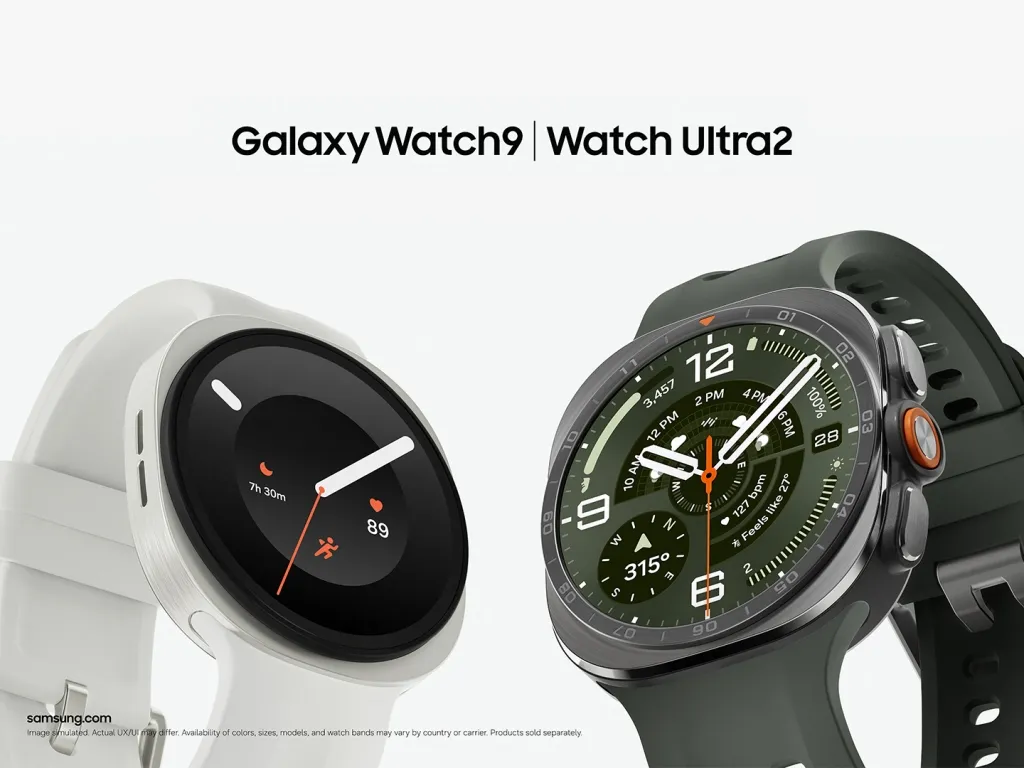
There's no universal best time to charge a Samsung Galaxy Watch. Generally, an optimal charging schedule is something you have to monitor yourself, and that premise holds up here: the right window depends on whether you track sleep, how much battery you're carrying into the evening, how fast your specific model refills, and when you're reliably inactive during the day. The four-question framework below turns that idea into something you can actually use.
Galaxy Watches track activity, vitals, notifications, and sleep, so a charging plan has to bend around actual usage instead of a fixed clock time. Battery life swings by model, too. Engadget puts the Galaxy Watch 8 at roughly 30 to 40 hours per charge, while BGR's hands-on review found the pricier Galaxy Watch Ultra 2 can stretch up to 60 hours even with its always-on display running.
This guide walks through the four questions that narrow down a charging window, a decision table built from those answers, Galaxy Watch 9 charging times plus what to expect from other models, and which Samsung Galaxy Watch battery charging tips are worth adopting now.
Four questions that set your Samsung Galaxy Watch charging schedule
Answer these in order. Each one narrows the window down based on how you actually use the watch, not guesswork.
1. Do you rely on sleep tracking? If yes, don't default to plugging in at bedtime. BGR's reviewer recommends wearing the watch through the night and charging it at some other point in the day instead, based on hands-on use of the device.
2. What's your battery level before bed? BGR cites roughly 30% as the general amount most smartwatches need to track a full night's sleep. That figure comes from the reviewer's own guidance, not a threshold Samsung has published, so treat it as something to watch rather than a guarantee.
3. How long does your model take to charge? Charge speed varies by case size and generation. A 40mm Galaxy Watch 9 charges on a different timeline than the 44mm version, and neither necessarily matches an older Galaxy Watch 8 or an Ultra model. Exact numbers are below.
4. When are you reliably inactive? Charge during whatever stretch of your day you're already sedentary, whether that's a morning routine, dinner prep, the first hour at a desk, or an evening wind-down, whichever one doesn't cost you data you'd actually miss.
If you already wear a Galaxy Ring, question one gets easier. The ring can track sleep on its own, and Samsung Health merges data from both devices, so Ring owners can charge the watch overnight without losing sleep data. That's a workaround for people who already own a Ring, not a reason to go buy one just for this.
Pick your Galaxy Watch charging schedule
Once you've answered the four questions above, match yourself to one of three routines. The key variable is your battery level at bedtime: above roughly 30% calls for a different approach than below it.
Schedule A: Daytime charge
Who it's for: Users who prioritize sleep tracking and usually have more than 30% battery by bedtime
When to charge: During your morning routine (shower, dressing, coffee) or while cooking dinner
Trigger: Battery is already above ~30% before bed
What you lose: Tracking during the charging window only
Schedule B: Daytime charge plus top-up
Who it's for: Users who prioritize sleep tracking but often have less than 30% battery by bedtime
When to charge: During your morning or dinner routine, then check again before bed
Trigger: Battery is below ~30% before bed
What you lose: Tracking during the charging window, plus a few minutes for the top-up
Schedule C: Overnight
Who it's for: Users who don't need sleep tracking
When to charge: During your evening wind-down or right before bed
Trigger: None
What you lose: Overnight tracking, which you don't use anyway
The 30% threshold and five-minute top-up are recommendations from BGR's reviewer, rather than Samsung-published requirements or results of a controlled charging test. That same reviewer, testing the Galaxy Watch 9, needed to charge it every night just to get through a full sleep cycle, a reminder that one morning charge won't always carry every model past 30% by bedtime.
A full charge on some models runs past an hour, which means a watch that starts low in the morning might not reach 100% during a short shower-and-coffee window. The breakdown below has the actual numbers to check against your own routine.
Galaxy Watch 9 charging times, plus what to expect from other models
Charge speed is not uniform across the Galaxy Watch lineup. Assuming your watch matches a friend's or a review unit's numbers is a common mistake worth avoiding before you settle into a routine.
BGR reports different Galaxy Watch 9 charging times depending on case size: the 40mm model hits 50% in 30 minutes and 100% in about 80 minutes, while the 44mm model takes about 90 minutes to reach a full charge and only reaches 45% in that same first 30 minutes. Those figures are specific to one current model and generation; older Galaxy Watches and Ultra models run on their own timelines that BGR and Engadget don't break out individually.
Engadget's broader guidance is to expect any full charge to take longer than an hour on most Galaxy Watches, while stressing that every device charges differently enough that testing your own is worth doing. BGR offers a rougher estimate for a full drain: about an hour and a half from completely dead to 100% on most Galaxy Watches, a figure worth treating as a ballpark rather than a spec if you're trying to fit one charge into a single daily window.
The simplest way to get an accurate number for your own watch is to time a normal charge the next time you plug it in, starting from whatever percentage it's already at, rather than guessing based on someone else's model. Note how long it takes to reach full from that starting point, and use that number, not a generic estimate, to size your daily window.
Charging to 100% every time isn't required either, per Engadget's guide. That's worth keeping in mind when deciding which of these three charging situations fits a given day:
A daily top-up: short and partial, fits inside a brief downtime window like a coffee break or the first stretch of a workday.
A full charge before a long day or travel, when you need maximum runtime and won't get another chance to plug in soon.
An occasional full charge just to time it, a step worth running once even though neither source specifically recommends it, so you know your device's real number instead of relying on a review unit's.
Picking the right one for a given day matters more than chasing 100% out of habit.
What is known about Galaxy Watch charge limits
Once the daily routine is sorted, there's a longer-term question: does how you charge affect how long the battery lasts overall?
Both Engadget and BGR point to the general lithium-ion practice of charging between roughly 20% and 80% rather than always topping out at 100%, since a full charge can still degrade a battery over time. This is general lithium-ion battery-care advice, not a Samsung-specific charging requirement. Engadget notes that Galaxy Watch 8 and newer models have built-in battery protection, making strict adherence to the 20–80 rule less essential.
Whether you need to manage charging limits manually depends on your model and its available battery settings. Check your own watch's battery settings for a charge-limit option before assuming one exists; if you don't find one, treat 20-80 charging as a habit you manage by hand, timing your own charges rather than relying on the device to stop itself at a set percentage.
Putting too much strain on a battery can make it less efficient and even cause permanent damage, potentially necessitating a replacement. Engadget estimates a DIY replacement, including batteries and tools, runs $50 to $70, with Samsung or a third-party repair shop potentially costing more, depending on warranty coverage and repair pricing. That's a real cost down the line, but day-to-day needs still come first: enough charge for sleep tracking, a workout, or whatever else matters that day. Save the 20-80 habit for the days when it doesn't put that at risk.
Test your Galaxy Watch charging schedule this week
Wear the watch overnight and charge it during the longest stretch of reliable daytime downtime, whichever window from the table above fits your routine. Record the starting and ending percentage each time for a week, so you're working from your watch's real charge time instead of someone else's model.
Add a five-minute top-up during your bedtime routine only if that week shows you repeatedly landing under BGR's rough 30% guideline before bed. If sleep tracking isn't something you use, skip the tracking question altogether and charge overnight; it's the simplest option once that's off the table, and no decision framework is needed beyond it.












Comments
Be the first, drop a comment!