





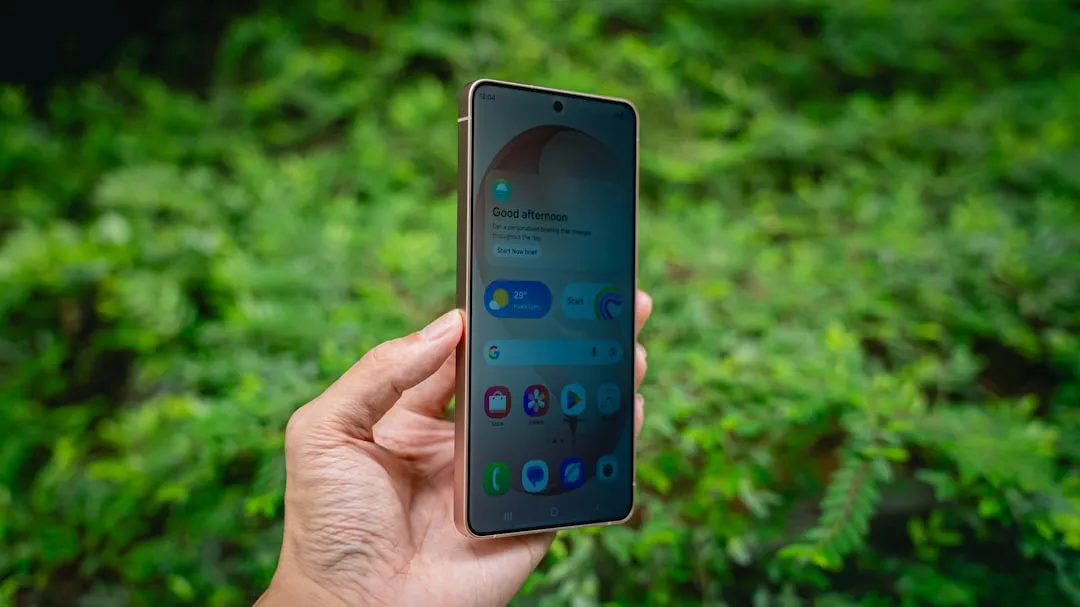
When you unbox Samsung's Galaxy S26 Ultra, you're getting what many consider the pinnacle of Android hardware—a stunning display, powerful cameras, and flagship performance that justifies the $1,300 price tag. But there's something else packed in that premium device that no amount of cutting-edge silicon can fix: a substantial collection of preinstalled apps that Samsung seems convinced you need.
The Galaxy S26 Ultra's bloatware situation reflects broader industry tensions between manufacturer customization and user control, raising questions about whether premium pricing should come with premium software restraint. Samsung devices continue to ship with an extensive collection of preinstalled applications that consume storage, drain battery, and clutter the user experience before you even finish the setup process.
This isn't just a few extra apps we're talking about—the scope varies dramatically depending on where and how you buy your phone, creating a complex landscape of bloatware that changes based on business partnerships rather than user needs. The challenge lies in understanding what's genuinely useful versus what's digital clutter, and more importantly, what you can safely do about it.
The scope of Samsung's preinstalled app ecosystem
Samsung has created what amounts to a multi-layered ecosystem of preinstalled software that extends far beyond basic Android functionality. Galaxy devices include everything from Samsung Notes and SmartThings to weather widgets, carrier applications, and diagnostic tools, but the actual number you'll encounter depends heavily on your purchase path.
The variation between regions and carriers tells a compelling story. A Galaxy S24 Ultra purchased unlocked in Germany ships with 17 preinstalled Samsung apps, while the same model through AT&T includes 32 apps, including duplicate weather applications and multiple carrier utilities that most people will never touch.
Here's what makes this particularly problematic: Samsung has made genuine progress in reducing bloatware overall. Samsung has reportedly reduced default installations by approximately 35% compared to One UI 4.0, representing a meaningful improvement in the base Samsung experience. However, regional variants and carrier partnerships continue to reintroduce dozens of additional applications, especially in markets like the U.S., where carrier customization runs deep.
This creates a frustrating situation where Samsung's efforts to streamline its software get undermined by business relationships. For international travelers or people who switch carriers, the inconsistency means you never quite know what software experience you're purchasing until you complete the initial setup. The practical impact becomes clear when you consider that preloads run background services, schedule sync jobs, and compete for notification space, even when you don't launch them.
What makes an app "bloatware" versus essential functionality?
Not every preinstalled application deserves the bloatware label, and understanding these distinctions can save you from making costly mistakes when cleaning up your device. Samsung organizes its software into functional tiers, and recognizing these categories helps separate genuine value from digital clutter.
Low-value apps like Samsung Free, Samsung Kids, and carrier-branded applications rarely enhance daily usability and often run background synchronization without a clear user benefit. Samsung Free, for instance, essentially replaces Google's Discover feed with Samsung's own content aggregation service, but most users report accidentally triggering it rather than intentionally using it. These represent the clearest candidates for removal since they provide minimal integration value.
The middle tier proves more nuanced. Apps like Samsung Health, Samsung Messages with RCS integration, and the company's Calendar and Gallery apps are technically replaceable but deeply woven into the Samsung experience. These are replaceable in practice, but disabling them may disable associated widgets, notifications, or cross-app sharing functionality. For users who rely on Samsung's health widgets or save images directly to the Gallery from other apps, removing these creates workflow disruptions that aren't immediately obvious.
System-critical services like Samsung Keyboard, One UI Home, Secure Folder, and Samsung Pass integrate deeply with Android's framework, and disabling them can break input functionality, launcher behavior, or biometric authentication. These aren't bloatware in any meaningful sense—they're core components that Samsung has customized to work with their hardware features.
What's particularly frustrating is how each preinstalled app can be helpful for some users and a memory hog for others. The Samsung Shop app aims to deliver personalized content and special offers for registered products, but these offers can often turn into unwanted notification clutter and hinder the One UI experience, especially when you can always visit Samsung's website to learn about current deals anyway.
Real performance impact: measuring the actual cost
Let's examine the measurable impact of Samsung's preinstalled apps, because claims about bloatware often exaggerate both the problems and the benefits of removal. The data from tests reveals specific areas where bloatware creates genuine issues and others where the impact proves minimal.
Battery life represents the most tangible impact area. Independent testing shows that disabling Samsung Free, Samsung Kids, and Samsung Weather reduced average overnight battery drain from 4.2% to 2.7%—a 1.5% improvement that translates to meaningful real-world benefits. For users dealing with long days away from chargers, this difference between waking up to 85% battery versus 87% can determine whether your phone survives until evening.
Notification management delivers even more significant daily usability improvements. Disabling Samsung Daily, Samsung Members, and Galaxy Store updates cut unsolicited push notifications by 73% in user-reported testing. This isn't just about reducing notification volume—it's about attention management and regaining control over when your expensive flagship demands your focus. The psychological impact of fewer interruptions often feels more significant than the technical performance gains.
Storage considerations become critical for users choosing lower-capacity models to save money. Disabling 12 non-essential apps freed an average of 1.2 GB of internal storage, mostly from cached data and system optimization files. On a 512GB Galaxy S26 Ultra, this represents a rounding error. But for users choosing base 128GB models where system partitions already consume 38-42GB, that 1.2GB creates meaningful space for photos, apps, and system updates.
However, the areas where bloatware doesn't dramatically improve performance deserve equal attention. Claims that disabling bloatware "speeds up your phone" are frequently overstated—app launch speeds, cold boot times, and sustained performance during intensive tasks show minimal improvement. The Snapdragon processor in the Galaxy S26 Ultra has enough headroom that background apps rarely create CPU bottlenecks during normal usage patterns.
The ecosystem lock-in strategy behind the bloat
Samsung's preinstalled application strategy reflects a deliberate attempt to recreate Apple's ecosystem advantages within the Android environment. Some users note using a Samsung phone feels like "indulging a CEO's desire to copy Apple's walled garden," with proprietary alternatives for nearly every Google service designed to keep users within Samsung's sphere of influence.
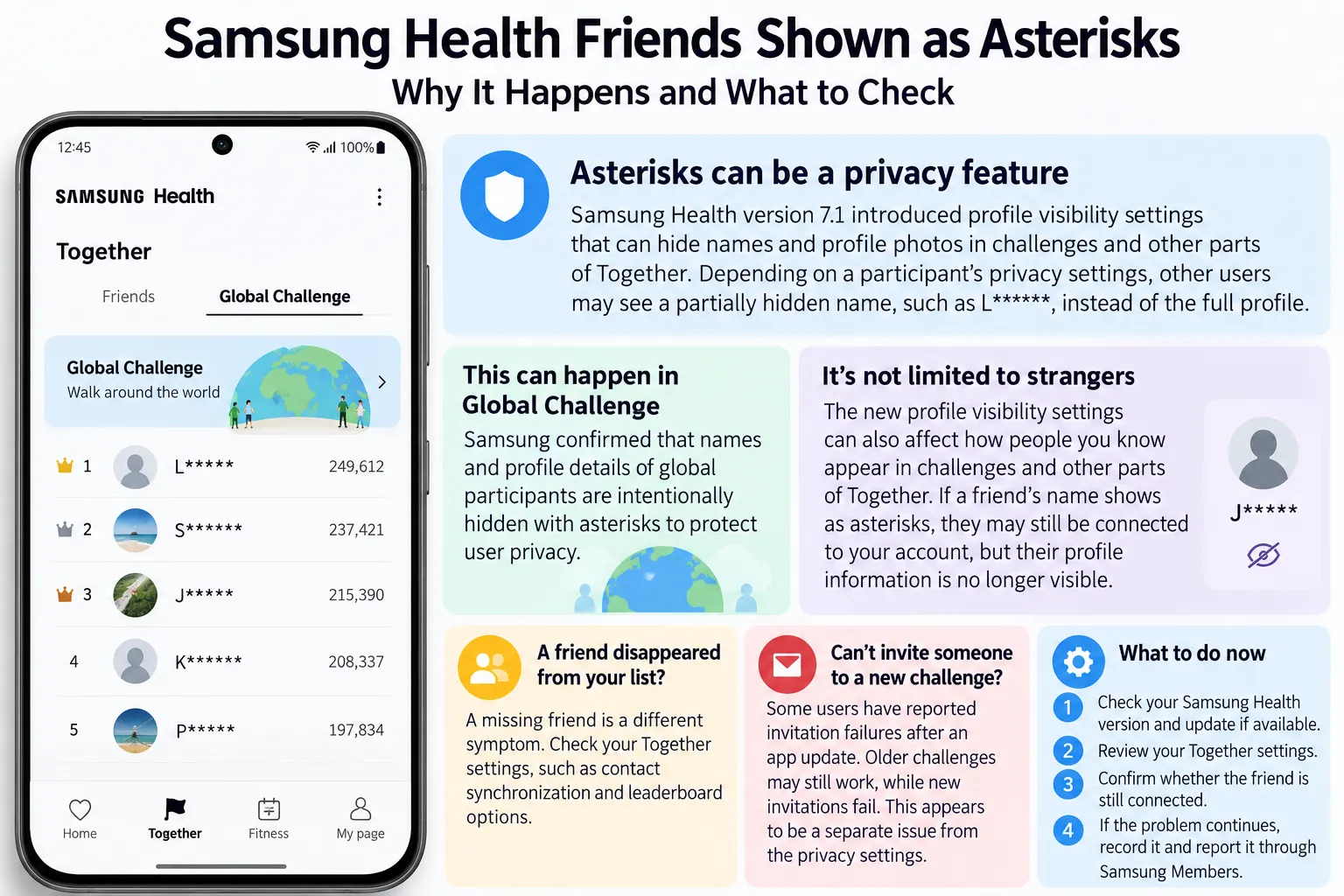
The business logic becomes transparent when you examine how these apps interconnect. The Galaxy Watch requires Samsung Health, and dropping SmartThings for competing platforms creates complications with Samsung smart appliances. There's little reason to use SmartThings when Amazon Alexa and Google Home offer better smart home support, but if you've invested in Samsung's refrigerator or washing machine, SmartThings suddenly provides unique integration benefits that competing platforms can't match.
This creates purchasing momentum where one Samsung product encourages additional Samsung purchases to maximize integration benefits, even when superior third-party alternatives exist for individual categories. Samsung Health works adequately as a fitness tracker, but it really excels when paired with Galaxy Watch data, Samsung's smart scale, and the company's sleep tracking features. For users invested in Samsung's hardware ecosystem, the apps that seem like bloatware to others become genuinely useful integration tools.
The strategy extends beyond hardware integration to content and services. Samsung Free aggregates news and entertainment, Samsung TV Plus provides streaming channels, and Samsung Members offers device support and exclusive deals. Individually, these apps duplicate functionality available through Google or third-party services. Collectively, they create an alternative digital lifestyle that reduces reliance on Google's services while keeping users engaged with Samsung's platform.
The approach isn't inherently problematic, but it conflicts with Android's historical promise of user choice and platform flexibility. When every Samsung phone pushes users toward Samsung services, Samsung accessories, and Samsung content, the openness that attracted many people to Android starts feeling more theoretical than practical. As industry observers note, one of the strengths of Android is supposed to be the freedom from lock-in, and Samsung continues to lean too hard in the wrong direction.
Safe removal methods and what you should actually disable
For users determined to clean up their Galaxy S26 Ultra experience, the safest approach prioritizes gradual, reversible changes over wholesale app deletion. Understanding that different removal methods carry different risks helps avoid system stability issues while achieving meaningful improvements.
Before disabling applications, users should revoke unnecessary permissions for Location, Microphone, and Background Activity, which often delivers 80% of battery and privacy benefits with zero system stability risk. Many apps request broad permissions during installation but only use a fraction of that access for legitimate functionality. This permission-focused approach provides immediate benefits while preserving the option for more aggressive removal later.
For actual app removal, the Settings method remains safest: navigate to Settings > Apps, tap the three-dot menu, select Show system apps, locate the target application, and choose Disable. This approach stops background activity, removes the app from your drawer, and prevents resource consumption while preserving the ability to re-enable later if you discover hidden dependencies.
Advanced users can employ ADB commands for more comprehensive removal, but this introduces genuine risk if misused. ADB can disable system components that aren't accessible through normal Settings menus, but removing certain apps may block Work Profile functionality or crash One UI if you inadvertently disable critical system dependencies.
The most practical recommendation focuses on obvious redundancies while preserving genuinely integrated features. Samsung Free, Samsung Kids, and carrier-branded applications represent the safest targets because they're self-contained services with minimal system integration. Samsung Weather can be safely disabled if you prefer Google Weather or dedicated weather apps, and Samsung TV Plus serves no purpose unless you actively watch streaming content on your phone.
Samsung Shop deserves special mention as a prime removal candidate. These offers can often turn into unwanted notification clutter and hinder the One UI experience, and unless you're actively shopping for Samsung products, this app provides zero daily value while consuming notification space and background resources.
PRO TIP: Most Galaxy phones let you uninstall or disable these apps in seconds. Long-press the app icon and select Uninstall or Disable, or go to Settings > Apps, tap the app, and choose Disable if Uninstall isn't available.
The regulatory and industry response
The bloatware issue has attracted attention from regulators and industry observers globally, suggesting that consumer frustration extends beyond individual complaints to policy-level concerns about manufacturers' software practices.
India's Ministry of Electronics and Information Technology has reportedly discussed guidance requiring OEMs to make preinstalled apps removable, which would fundamentally alter how companies like Samsung approach software bundling across major markets. Android itself has implemented tighter background limits and more granular permission controls to curb power drain from unused applications, though these changes apply broadly rather than targeting specific manufacturer behaviors.
The enthusiast community has responded more directly to bloatware concerns. Power users on forums like XDA Developers consistently report cleaner experiences after pruning bloat, and the popularity of debloating tools suggests significant demand for more streamlined software experiences. These communities often share detailed guides for safe app removal, creating informal support networks for people frustrated with manufacturer software choices.
However, Samsung remains unlikely to abandon One UI or significantly reduce preinstalled applications due to the tremendous effort required to decouple integrated features and the company's strategic focus on ecosystem development. The software customization that creates bloatware concerns also enables Samsung's hardware differentiation, advanced multitasking capabilities, and AI features that justify premium pricing.
This regulatory attention highlights broader tensions in the Android ecosystem between manufacturer differentiation and user choice. As policymakers consider requirements for app removability, manufacturers may need to balance ecosystem development goals with consumer preferences for cleaner, more controllable software experiences.
Finding the balance between features and bloat
The Galaxy S26 Ultra's bloatware situation ultimately represents competing philosophies about smartphone software. Samsung argues that its integrated ecosystem provides superior user experiences for customers willing to embrace the company's vision of mobile computing, while critics counter that this approach sacrifices user choice for corporate control.
Samsung's One UI offers practical advantages like advanced multitasking and AI capabilities that require deep system integration, making wholesale software simplification impractical without losing features that differentiate Samsung devices from competitors. The challenge lies in separating genuinely useful integrations from promotional applications that exist primarily for business rather than user benefit.
The most effective approach involves targeted cleanup during initial setup, focusing on obvious redundancies like Samsung Kids, Samsung Shop, and carrier promotions while preserving integrations that enhance your specific usage patterns. Core Samsung apps such as Galaxy Wearable, Wallet, and SmartThings add real value if you use Galaxy Watch, Samsung Pay, or connected home devices.
For prospective buyers considering the Galaxy S26 Ultra, purchase decisions can significantly impact the bloatware experience before you even power on the device. Choosing unlocked Galaxy models reduces preinstalled apps by up to 40% compared to carrier variants, often justifying the higher upfront cost through cleaner software, faster updates, and freedom from carrier-specific limitations.
The greatest benefit often proves psychological rather than technical: regaining control over device behavior. When your $1,300 phone stops sending notifications about Samsung TV Plus shows you'll never watch, or promotional alerts for Galaxy accessories you don't need, the device feels more like a sophisticated tool you control rather than a platform designed to capture your attention for corporate benefit.
Bottom line: Samsung's Galaxy S26 Ultra delivers exceptional hardware capabilities that genuinely justify premium pricing. The camera system, display quality, and processing power represent the best of what Android hardware can achieve in 2026. But users must invest time in software customization to achieve the clean, responsive experience that premium pricing should provide out of the box. The Galaxy S26 Ultra can be an outstanding device—but only after you take control of the software experience Samsung has chosen for you.





Comments
Be the first, drop a comment!