



Samsung's upcoming One UI 8.5 update is generating serious buzz in the tech world, and for good reason. Based on comprehensive leaked information, this isn't just another incremental software refresh—it's shaping up to be a substantial overhaul that could fundamentally change how Galaxy users interact with their devices. A detailed leak has revealed the complete feature list ahead of Samsung's official announcement, giving us our clearest picture yet of what's coming. The timing couldn't be better, with Samsung preparing to launch beta testing this month and the stable release expected alongside the Galaxy S26 series early next year. Here's what Galaxy users need to know about this game-changing update.
What's driving Samsung's biggest interface redesign in years?
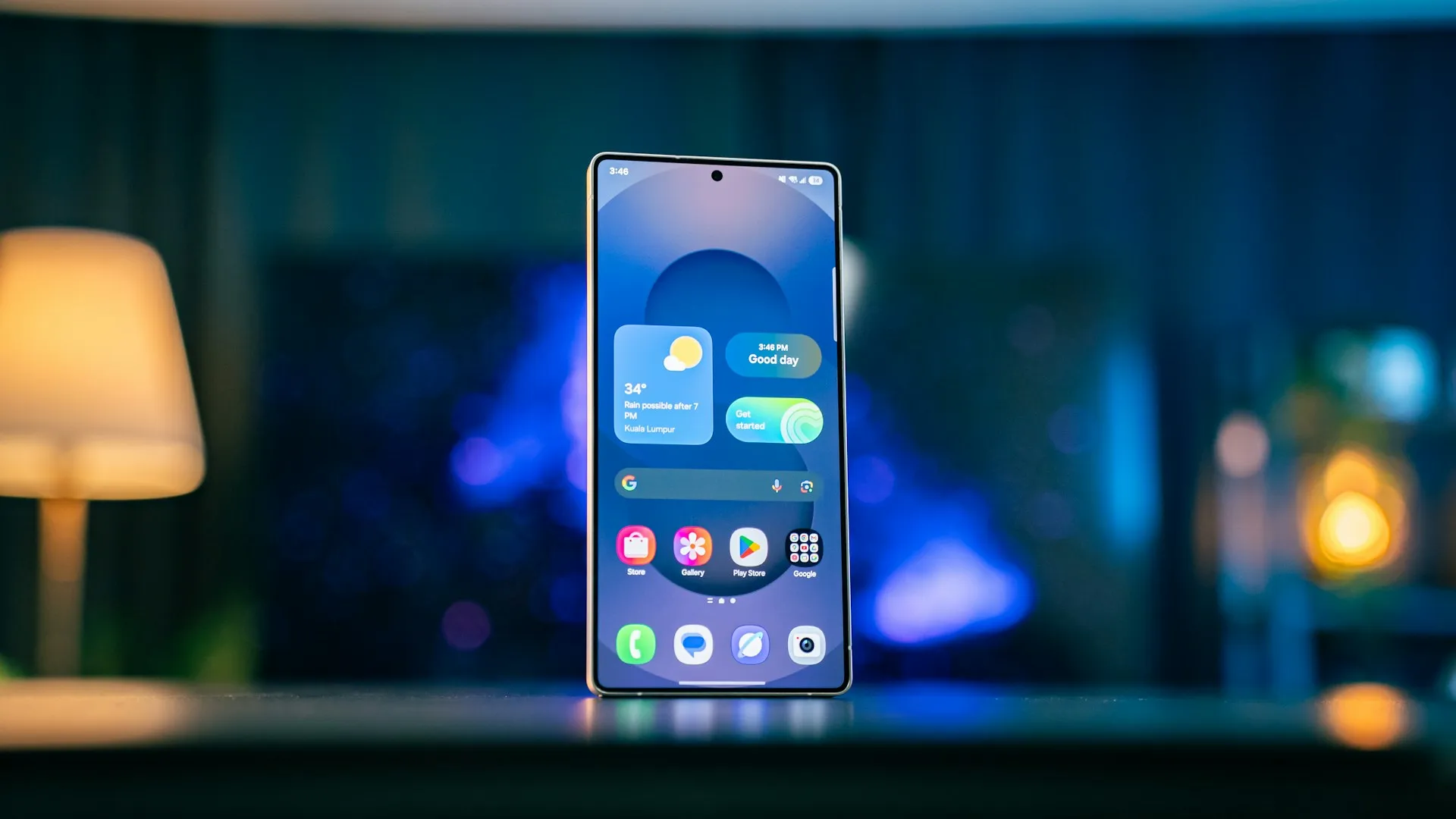
Samsung is taking bold steps with One UI 8.5's visual transformation, drawing inspiration from some unexpected sources while carving out its own path. The update introduces major UI changes inspired by Apple's Liquid Glass design, marking a significant departure from Samsung's current design language. What makes this approach different from Apple's implementation is Samsung's focus on practical customization rather than just aesthetic polish—they're taking the visual appeal of Liquid Glass and making it work for Android's more flexible ecosystem.
The most noticeable changes center around the Quick Settings panel, which receives a complete overhaul with enhanced customization options. Unlike the current rigid layout, One UI 8.5 allows users to resize individual toggles, rearrange controls freely, and even place Quick Settings toggles outside traditional containers for better one-handed accessibility. The volume and brightness sliders can now be converted to vertical bars and positioned for easier thumb reach—a practical improvement that solves the specific problem of reaching controls on 6.7-inch displays where your thumb can't comfortably span the entire screen width.
Visual refinements extend throughout the system, with app icons gaining subtle 3D effects and drop shadows in both light and dark modes. Perhaps most importantly for dark mode enthusiasts, Samsung is finally addressing the long-standing inconsistency where bright icons clash against dark backgrounds. Icons automatically adapt to dark mode, eliminating that jarring contrast and creating the unified "night" aesthetic that users have been requesting for years.
How will Galaxy AI transform your daily smartphone experience?
Galaxy AI takes center stage in One UI 8.5, with Samsung introducing several features that promise to make devices genuinely smarter rather than just more cluttered. The standout addition is "Now Nudges," which analyzes what's on your screen and suggests relevant actions, like jumping to a location in Google Maps or starting translation when viewing foreign text. This contextual awareness represents a significant evolution from reactive AI tools to proactive assistance that anticipates user needs—your phone becomes an active participant in your workflows rather than just responding to commands.
Photo Assist receives substantial improvements, with enhanced AI image generation capabilities that don't require saving every iteration. This streamlines the creative process and reduces storage clutter while maintaining the powerful editing features Galaxy users have come to expect. The improvements create a more fluid editing experience where Quick Share can recognize people in photos and suggest sharing directly with those individuals—transforming photo sharing from a manual selection process into an intelligent workflow that anticipates your intentions.
Perhaps the most intriguing addition is Priority Notifications, which uses Galaxy AI to automatically identify important alerts and display them prominently. These priority alerts appear with a distinctive glow effect and Galaxy AI-style gradient, ensuring critical messages don't get lost in notification clutter. Samsung emphasizes that all notification processing happens on-device, maintaining privacy while delivering intelligent organization—this approach also ensures faster processing speeds and eliminates the reliability issues that can plague cloud-dependent AI services.
Why is Samsung's Bixby overhaul worth your attention?
Let's be honest—Bixby hasn't exactly been a household name in the voice assistant world, but One UI 8.5 might change that trajectory entirely. The most significant upgrade yet potentially transforms Samsung's assistant through strategic partnerships, with the smarter Bixby believed to be powered by Perplexity. This partnership signals Samsung's broader strategy to integrate best-in-class AI capabilities rather than building everything in-house—a more pragmatic approach that could finally give Bixby the intelligence it needs to compete.
The improvements are immediately apparent in everyday interactions. Bixby now better understands settings and features even when you don't use exact commands, making it more forgiving of natural speech patterns. Whether you need a quick answer or detailed information, you can ask Bixby for instant responses without worrying about precise phrasing—the kind of natural interaction that could finally make Bixby feel less like a Samsung afterthought and more like a genuine productivity tool.
One practical improvement that users will genuinely appreciate is conversation history access through the side panel in the Bixby app. This addresses a major frustration with voice assistants—the inability to reference previous conversations or build on earlier requests. Combined with the enhanced natural language capabilities, these changes position Bixby as a more viable alternative to Google Assistant for Samsung users who want to stay within the Galaxy ecosystem and leverage Samsung-specific features that Google's assistant can't access.
What makes One UI 8.5's notification blocking revolutionary?
Samsung is tackling one of Android's most persistent problems with an innovative approach that goes beyond traditional notification management. One UI 8.5 introduces "Block apps with excessive ads" functionality that operates through both basic and intelligent detection modes—representing the first comprehensive system-level response to the notification spam epidemic.
The basic mode targets applications Samsung already recognizes as frequent ad senders, automatically flagging them based on Samsung's database of problematic apps built from analyzing user behavior across millions of Galaxy devices worldwide. This curated approach leverages real-world frustration patterns to identify the worst offenders. The intelligent mode takes this further, using on-device analysis to examine notification content and identify promotional language patterns like "limited time," "flash sale," or "exclusive offer"—your phone literally reads incoming notifications and spots marketing speak before it reaches your notification shade.
When apps are flagged by either system, One UI 8.5 pushes them into deep sleep mode, preventing them from waking up to send promotional notifications. This approach is particularly effective against shopping apps, game launchers, and social media platforms that have turned notifications into advertising channels. The feature will work best for apps you don't rely on in real-time, while critical services like banking and payments should still be managed manually to avoid missing important transaction alerts or security notifications.
When can you actually get your hands on One UI 8.5?
Samsung's rollout timeline is becoming clearer thanks to multiple leak sources pointing to the same dates, creating a more credible picture of the release schedule. Beta testing is rumored to begin December 8, 2025, starting with Galaxy S25 owners in the United States, United Kingdom, Korea, and Germany. The beta will expand to additional countries including India and Poland with subsequent releases throughout the month—this phased approach allows Samsung to gather feedback from diverse markets and app ecosystems before broader deployment.
The stable release follows Samsung's strategic pattern of debuting major updates alongside new flagship devices to maximize impact. One UI 8.5 is expected to launch with the Galaxy S26 series in early 2026, likely January or February. This timing allows Samsung to showcase the software's capabilities on their newest hardware while ensuring a polished experience for early adopters—plus, it creates a compelling upgrade narrative during the crucial early-year phone buying season when consumers are most likely to switch devices.
Device compatibility appears extensive, with support expected across Galaxy S series, Z foldables, A/M/F mid-range phones, and Galaxy Tab tablets. Models as far back as the Galaxy S22 series and Galaxy Z Fold 4/Flip 4 are likely to receive the update, though newer devices will obviously get priority treatment and potentially exclusive features that require more processing power for advanced AI functions.
What does this mean for the future of Samsung's software strategy?
One UI 8.5 represents more than just another annual update—it's Samsung's most comprehensive attempt yet to differentiate Galaxy devices through software innovation rather than just hardware specifications. The combination of automated notification management, proactive AI assistance, and extensive customization options addresses real user pain points while pushing the boundaries of what Android customization can achieve without completely breaking away from Google's vision.
The emphasis on privacy-focused AI processing, with features like Priority Notifications and Now Nudges running entirely on-device, positions Samsung as a privacy-conscious alternative to cloud-dependent solutions. This approach becomes increasingly important as users demand greater control over their personal information, and it provides performance benefits like faster response times and offline functionality that cloud services can't match.
Samsung's willingness to invest significant engineering resources in system-level intervention tools like automatic ad blocking suggests they view software as a competitive advantage worth substantial investment. If successful, these features could influence other Android manufacturers to implement similar capabilities, potentially forcing app developers to reconsider notification-heavy engagement strategies across the entire ecosystem. The success of One UI 8.5's ad-blocking could fundamentally change how apps approach user engagement, shifting from interruptive notifications back toward value-driven content that users actually want to receive.





Comments
Be the first, drop a comment!